If you manage a website, you have probably heard the term robots.txt SEO thrown around in technical audits, but few site owners actually understand how much influence this one small file has over crawling, indexing, and long-term rankings. Robots.txt SEO is one of those foundational topics that sits quietly in the background of every successful search strategy. Get it wrong, and you can accidentally block Google from seeing your most important pages. Get it right, and you give search engines a clear, efficient path through your site.
In this guide, we will break down what the file is, how it works, why it matters so much for crawl budget and indexing, and how to build a robots.txt SEO setup that actually helps your rankings instead of hurting them. Whether you run a small business site, an e-commerce store, or a large content platform, understanding this topic is non-negotiable technical knowledge.
What Is Robots.txt and Why Does It Matter for SEO?
Robots.txt is a plain text file that lives in the root directory of your website (for example, yourdomain.com/robots.txt). It gives instructions to search engine crawlers, also called bots or spiders, about which parts of your site they are allowed to crawl and which parts they should avoid. This makes robots.txt one of the very first things a crawler checks before it ever touches your pages.
When Googlebot, Bingbot, or any other crawler visits your website, it looks for this file first. If it finds clear instructions, it follows them. If the file is missing, misconfigured, or blocks the wrong resources, the effects on your visibility in search results can be significant. This is why robots.txt SEO deserves a permanent spot on every technical audit checklist, right alongside items from a broader technical SEO checklist.
Robots.txt SEO matters because it directly controls three things: crawl efficiency, crawl budget allocation, and the accidental exposure or suppression of pages in search results. A single misplaced line can deindex an entire website, while a well-structured file can help search engines focus their limited crawling resources on your highest-value pages.
How Robots.txt SEO Actually Works
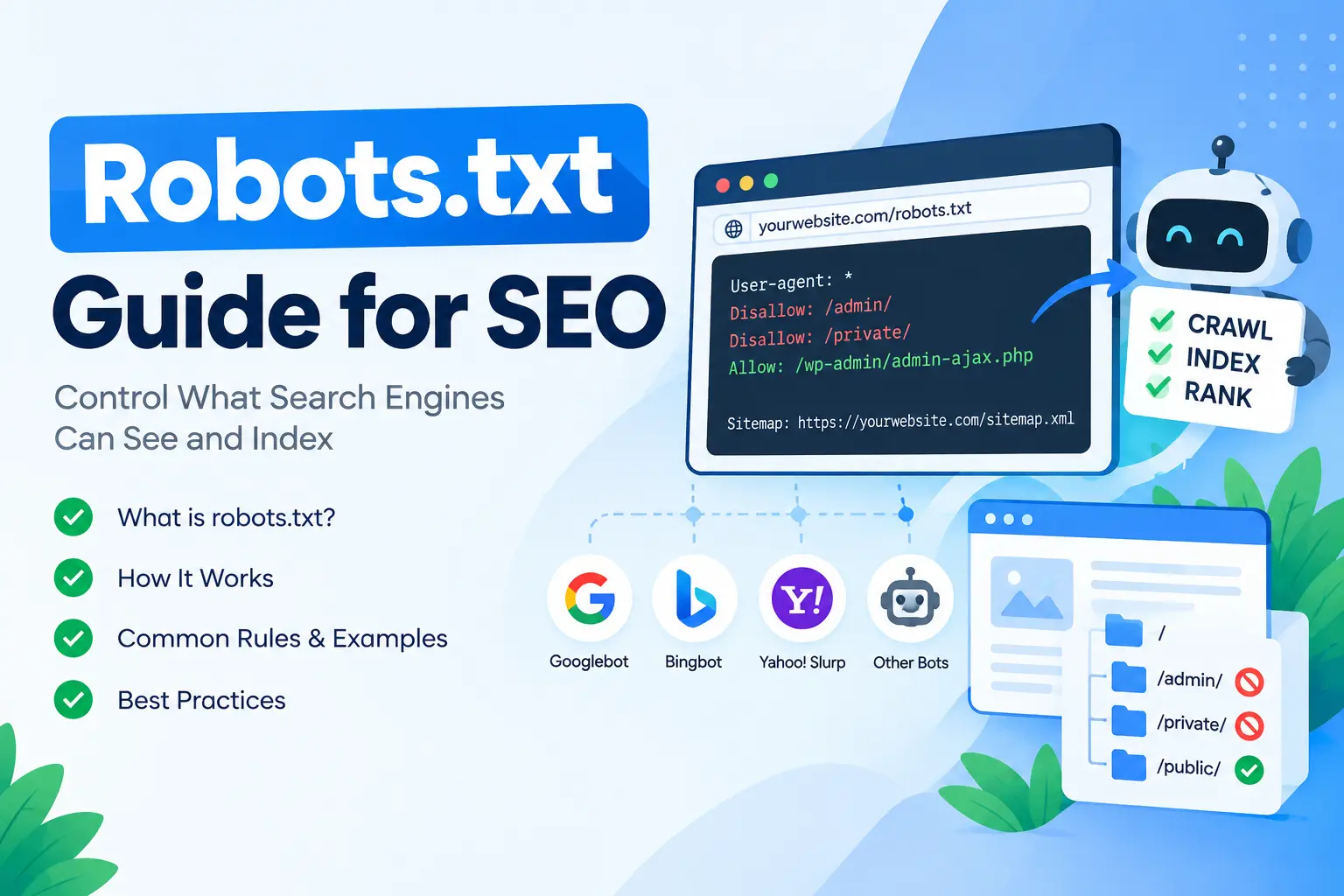
To understand this practice on a practical level, you need to understand the basic syntax. The file uses simple directives that tell crawlers what to do. Here is the core structure:
User-agent: *
Disallow: /wp-admin/
Allow: /wp-admin/admin-ajax.php
Sitemap: https://yourdomain.com/sitemap.xml
Each block of directives starts with a User-agent line, which specifies which crawler the rule applies to. An asterisk means the rule applies to all bots. You can also target specific bots, such as Googlebot or Bingbot, individually, which is a common part of advanced robots.txt SEO configuration.
The Disallow directive is the heart of crawl access control. It tells the specified crawler not to access a particular folder or page. The Allow directive does the opposite, explicitly permitting access, which is especially useful when you want to block a broad folder but still allow crawling of one specific file or subfolder inside it.
The Sitemap directive is another important piece of robots.txt SEO strategy. Including your XML sitemap location here helps search engines discover your sitemap faster, which speeds up the indexing of new and updated content. This works hand in hand with practices covered in our guide on how to use Google Search Console for submitting and monitoring sitemaps directly.
Why Robots.txt SEO Is a Crawl Budget Issue
Search engines do not have unlimited resources to crawl every page on the internet every day. Each website is assigned a rough crawl budget, meaning the number of pages a bot will crawl within a given timeframe. This is where this workflow becomes a strategic tool rather than just a technical formality.
If your site has thousands of low-value URLs, such as internal search result pages, filtered product listings, staging environments, or duplicate content generated by session IDs, crawlers can waste significant time and resources on pages that provide no SEO value. A smart robots.txt SEO configuration blocks these low-priority sections, freeing up crawl budget for the pages that actually drive traffic and conversions.
This is especially critical for larger sites. A small five-page brochure website rarely needs to worry about crawl budget, but an e-commerce store with tens of thousands of SKUs, or a content site publishing daily like ours, needs a deliberate crawl-control strategy to make sure search engines are not wasting time on parameter-based URLs, tag archives, or duplicate category pages.
Common Robots.txt Directives Explained
Let’s go deeper into the directives you will use most often when building a robots.txt SEO file.
User-agent specifies which crawler the following rules apply to. You might write general rules for all bots using an asterisk, or write specific rules targeting Googlebot-Image, Bingbot, or AhrefsBot separately. This flexibility is a core part of crawler-level customization for sites that want granular control over different crawler types.
Disallow blocks access to a specified path. A rule like Disallow: /cart/ prevents crawlers from indexing shopping cart pages, which have no search value and can create duplicate content issues, a routine part of robots.txt SEO cleanup.
Allow overrides a broader disallow rule for a specific subpath. This is commonly used in these setups where you disallow an entire directory but still want one useful resource inside it to be crawlable.
Crawl-delay is an older directive that some crawlers respect, instructing them to wait a certain number of seconds between requests. Google no longer honors this directive (it uses Search Console crawl rate settings instead), but some other search engines still respect it, so it can still play a role in a broader robots.txt SEO strategy.
Sitemap points crawlers to your XML sitemap location. Including this is considered a best practice for robots.txt, because it helps ensure fast discovery of new content, particularly useful if you’re troubleshooting indexing gaps identified in a Search Console coverage report.
Robots.txt SEO vs Meta Robots Tag vs X-Robots-Tag
One of the most common points of confusion in robots.txt SEO discussions is the difference between robots.txt, the meta robots tag, and the X-Robots-Tag HTTP header. These three tools all control crawler and indexing behavior, but they work differently and serve different purposes.
Robots.txt controls whether a crawler can access a page at all. If a page is disallowed, the crawler will not fetch its content, though the URL can still appear in search results without a description if other sites link to it. This distinction sits at the center of most of this confusion.
The meta robots tag, placed in the HTML head of a page, controls indexing behavior after the crawler has already accessed the page. A noindex meta tag tells search engines not to include that page in search results, even though they are allowed to crawl it. This is a critical distinction in robots.txt SEO strategy: blocking a page in robots.txt does not guarantee it stays out of search results, because Google can still index a blocked URL if it has enough external signals pointing to it.
The X-Robots-Tag works similarly to the meta robots tag but is delivered via HTTP headers instead of HTML, making it useful for non-HTML files like PDFs or images. A comprehensive crawl-management strategy often uses all three tools together: robots.txt for crawl control, meta robots for indexing control on HTML pages, and X-Robots-Tag for indexing control on file types where a meta tag is not possible.
How to Create a Robots.txt SEO File Step by Step
Building a proper robots.txt SEO file does not require advanced technical skills, but it does require care. Here is a straightforward process.
First, audit your site structure. Identify which sections should be crawlable and which should not. Common candidates for blocking include admin login pages, internal search results, staging or development subdomains, duplicate parameter-based URLs, and internal scripts or cart-related paths.
Second, write your rules using the correct syntax. Keep the file as simple as possible. Overly complex this workflow files with dozens of conflicting rules are more prone to errors than clean, well-organized ones.
Third, include your sitemap reference. This small addition makes a measurable difference in how quickly search engines discover new content, and it’s a step many robots.txt SEO checklists overlook.
Fourth, upload the file to your root directory. It must sit at yourdomain.com/robots.txt exactly; it will not work in a subfolder. For WordPress sites, plugins like Rank Math and Yoast allow you to edit these rules settings directly from the dashboard without needing FTP access.
Fifth, test the file before publishing changes live. Google Search Console offers a robots.txt tester that shows exactly how Googlebot interprets your file, one of the most important quality checks in any robots.txt SEO workflow.
Robots.txt SEO Best Practices
There are several best practices that separate an effective setup from one that quietly damages rankings.
Always allow crawling of CSS and JavaScript files. In the past, some site owners blocked these resources believing it improved crawl efficiency, but modern robots.txt SEO guidance from Google explicitly warns against this, because blocking CSS and JS prevents Google from rendering pages properly, which can hurt how your content is understood and ranked.
Never use robots.txt to hide pages you want removed from search results entirely. This is one of the most misunderstood aspects of the file. If a page is already indexed and you disallow it, Google may keep the URL in its index without being able to recrawl and update it, sometimes displaying it with no description. For true removal, use a noindex meta tag or a proper 410/404 status combined with Search Console’s removal tool.
Keep the file lean and specific. Broad wildcard rules can accidentally block far more than intended, which is one of the fastest ways to undo good robots.txt SEO work overnight. Always double-check disallow patterns against your actual URL structure before publishing.
Use comments to document your reasoning. While not required, adding comments (lines starting with #) to explain why certain rules exist helps future editors understand your robots.txt logic without guessing.
Regularly audit the file. Sites evolve, plugins get added, and URL structures change. A robots.txt SEO file that made sense a year ago might now be blocking a new content section your team just launched. Pair this audit with the broader checks outlined in our on-page SEO checklist to keep your technical foundation solid.
Common Robots.txt SEO Mistakes to Avoid
Even experienced site owners make mistakes with this practice. Here are the ones we see most often.
Blocking the entire site accidentally. A single line reading Disallow: / under a wildcard user-agent will block your entire website from being crawled. This is a catastrophic error that can happen during a site migration or a careless copy-paste from a staging environment.
Blocking important resource files. As mentioned earlier, blocking CSS, JavaScript, or image directories interferes with how Google renders and evaluates your pages, undermining your robots.txt SEO efforts even if the rest of the file looks fine.
Using robots.txt as a security measure. Robots.txt is a public file that anyone can view by visiting yourdomain.com/robots.txt. Listing sensitive directories here to “hide” them from crawlers actually advertises their existence to anyone looking. True security requires authentication, not disallow rules.
Forgetting to update the file after a redesign or migration. Old rules from a previous site structure can linger and block new, important sections of your redesigned site, quietly working against your robots.txt SEO goals for months before anyone notices.
Conflicting rules across multiple lines. When directives overlap or contradict each other, different crawlers may interpret them differently, leading to inconsistent this workflow behavior across search engines.
Not testing changes before publishing. Because robots.txt sits at the root of your domain and takes effect immediately, an untested change can have instant and widespread consequences for your robots.txt SEO performance.
Robots.txt SEO Examples for Different Website Types
Different types of websites need different these rules configurations. Here are a few practical examples.
For a standard WordPress blog, a solid robots.txt SEO setup typically looks like this:
User-agent: *
Disallow: /wp-admin/
Allow: /wp-admin/admin-ajax.php
Disallow: /?s=
Sitemap: https://yourdomain.com/sitemap_index.xml
For an e-commerce store, this setup needs to account for filtered navigation and cart pages:
User-agent: *
Disallow: /cart/
Disallow: /checkout/
Disallow: /*?sort=
Disallow: /*?filter=
Sitemap: https://yourdomain.com/sitemap.xml
For a local service business site, the setup is usually simpler since these sites tend to have fewer dynamic URL parameters, but it is still worth blocking internal search pages and any staging paths as part of ongoing robots.txt SEO maintenance. Local trade businesses in particular benefit from pairing a clean file with strong technical foundations like those explained in this technical SEO overview for local businesses, since local pack visibility depends heavily on a crawlable, well-structured site.
The History and Standardization of Robots.txt SEO
The robots.txt standard is older than most people realize. It was first proposed in 1994 as the Robots Exclusion Protocol, created informally by webmasters who needed a simple way to tell early search engine crawlers which parts of a site to leave alone. For nearly three decades, this crawl directive operated as a widely respected but technically unofficial convention, followed by major search engines even though no formal internet standard governed its behavior.
That changed in 2022, when the Internet Engineering Task Force formally standardized the Robots Exclusion Protocol as RFC 9309. This gave the file an official specification, clarifying edge cases around file size limits, character encoding, and how crawlers should behave when the file is unreachable or returns an error. Understanding this history adds useful context to any robots.txt SEO strategy, because it explains why directives like crawl-delay were never part of the official standard and remain inconsistently supported across search engines today.
Robots.txt SEO and AI Crawlers
A newer and increasingly important dimension of robots.txt SEO involves managing AI crawlers. Tools like GPTBot, CCBot, and other large language model training crawlers now request access to websites specifically to gather data for AI systems, separate from traditional search indexing bots like Googlebot.
Many site owners are now adding dedicated rules to control whether these AI crawlers can access their content at all. This is a relatively new frontier in robots.txt strategy, and there is no universal right answer. Some publishers welcome AI crawler access as a form of visibility in AI-generated answers, while others disallow it to protect original content from being used in model training without a direct traffic benefit in return. If your content strategy already leans on tools covered in our guide to AI SEO tools, it’s worth deciding deliberately how your robots.txt SEO rules treat these newer crawler types rather than leaving the decision to default settings.
Regardless of which stance you take, the same core principles apply: name the specific user-agent for each AI crawler you want to control, keep the syntax clean, and test the rules before publishing. Since this is a fast-moving area, revisiting the file every few months to account for new crawler names entering the market is a reasonable habit for any site practicing careful robots.txt SEO.
Robots.txt SEO, Site Speed, and Crawl Efficiency
Crawl efficiency is not just about which URLs a bot is allowed to visit; it is also about how quickly your server responds while crawling happens. A well-planned robots.txt file blocks unnecessary low-value paths, which reduces the total number of requests a crawler makes and indirectly eases server load. This becomes especially relevant for sites already working to improve technical performance, since crawl behavior and page speed are closely linked. Local service businesses optimizing for the map pack, for example, often pair robots.txt SEO cleanup with broader performance work like the guidance in this Core Web Vitals resource, since a faster, more efficiently crawled site tends to see both crawl and ranking benefits compound over time.
Testing and Validating Your Robots.txt SEO File
Never publish changes without testing them first. Google Search Console includes a robots.txt testing tool under the legacy tools section, and Google also provides an open-source robots.txt parser library that developers can use to validate rules programmatically as part of a disciplined workflow.
When testing, check specific URLs against your rules to confirm they behave as expected. Test both pages you want blocked and pages you want crawlable, since a small syntax error can invert the intended behavior. After publishing changes, monitor your Search Console coverage reports over the following days and weeks to confirm that crawl behavior matches your robots.txt SEO intentions and that no important pages have dropped out of the index unexpectedly.
It’s also worth cross-checking your rules against actual crawl stats in Search Console. If you notice Googlebot spending excessive time on sections you intended to block, that’s a signal the file needs revision.
Robots.txt SEO and Its Relationship with Indexing
A frequent question in robots.txt SEO discussions is whether blocking a page in robots.txt guarantees it will not appear in search results. The honest answer is no. Google can still index a URL that is disallowed if it has strong enough external signals, such as backlinks, even though it cannot crawl the page’s actual content. In these cases, the search result typically shows the URL with a message indicating that no information is available because of the restriction.
This nuance is essential to a good crawl-control strategy. If your real goal is to keep a page out of search results entirely, robots.txt is the wrong tool. Instead, allow the page to be crawled but add a noindex directive via meta tag or HTTP header. Only use disallow rules when your goal is purely to manage crawl budget or prevent access to functional, non-content areas of your site like admin panels or cart flows.
Robots.txt SEO for Large and Growing Websites
As websites scale, robots.txt SEO becomes increasingly important for maintaining crawl efficiency. Large content platforms, multi-location business directories, and e-commerce sites with extensive catalogs all generate huge numbers of URLs through pagination, filtering, tagging, and internal search functionality.
Without a deliberate crawl strategy, search engines can spend disproportionate crawl budget on low-value, duplicate, or thin-content pages, leaving less capacity to discover and refresh your genuinely valuable content. This is particularly relevant for businesses publishing at scale, where technical foundations like off-page SEO techniques only pay off if the underlying site is being crawled efficiently in the first place. A robust setup, combined with clean internal linking and an accurate sitemap, is what good robots.txt SEO looks like in practice for growing sites.
Robots.txt SEO Checklist
Before you consider your robots.txt work complete, run through this quick checklist:
- Confirm the file is accessible at yourdomain.com/robots.txt
- Verify you have not accidentally disallowed the entire site
- Confirm CSS and JavaScript resources are crawlable
- Ensure your sitemap URL is included and accurate
- Test key URLs using Search Console’s robots.txt tester
- Review disallowed paths to confirm they match your actual URL structure
- Avoid using robots.txt as a substitute for noindex tags
- Document any unusual rules with comments for future reference
- Re-audit the file after major site changes, migrations, or redesigns
Following this checklist consistently is what separates a robots.txt SEO file that quietly supports your rankings from one that silently undermines them.
Frequently Asked Questions About Robots.txt SEO
Does robots.txt directly improve rankings? Not directly. Robots.txt SEO is a crawl management tool, not a ranking factor itself. However, by improving crawl efficiency and preventing wasted crawl budget, it indirectly supports better indexing of your valuable pages, which can positively influence rankings over time.
Can I block bad bots using robots.txt? You can specify rules for named bots, but robots.txt directives are voluntary. Malicious bots often ignore them entirely, so robots.txt should not be relied upon as a security or bot-blocking mechanism, and treating it as one is a common mistake.
Is robots.txt required for every website? Technically no, but having a well-maintained file is considered robots.txt SEO best practice, even if it’s minimal. Without one, some crawlers may behave unpredictably, and you lose the opportunity to declare your sitemap location directly in the file.
Can crawl rules differ across mobile and desktop crawlers? Yes. Some search engines use separate user-agent tokens for mobile-specific crawlers. If your robots.txt SEO strategy needs to treat mobile crawling differently from desktop, you can target those user-agents individually, though for most sites a single unified rule set works fine.
How often should I review my robots.txt file? Review it after any major site changes, such as a redesign, CMS migration, or the launch of a new content section. Otherwise, a quarterly audit is a reasonable cadence for most sites practicing ongoing file maintenance.
Final Thoughts on Robots.txt SEO
Robots.txt SEO might seem like a minor technical detail compared to content strategy or link building, but it is foundational to everything else you do in search. A single misconfigured line can undo months of content and outreach work by preventing search engines from properly crawling your site. On the other hand, a clean, well-documented, regularly audited file quietly supports every other part of your SEO strategy by making sure crawlers spend their limited time on the pages that actually matter.
Treat robots.txt SEO as a living part of your technical foundation rather than a set-it-and-forget-it file. Audit it regularly, test every change before publishing, and pair it with complementary tools like meta robots tags, XML sitemaps, and Search Console monitoring. Get these fundamentals right, and you give every other SEO effort you make a much better chance of actually being seen.