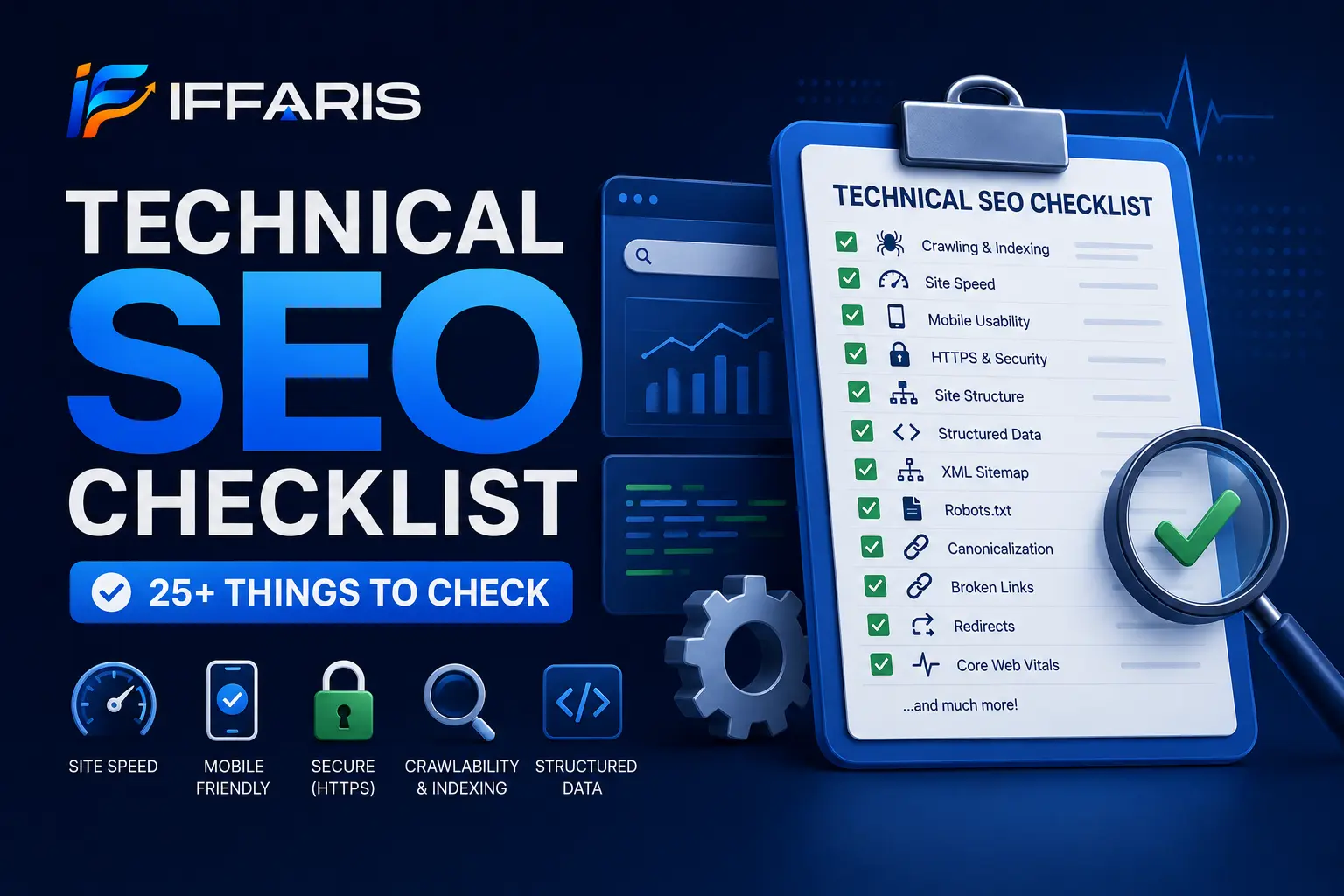
If your rankings have stalled even though your content is genuinely strong, the problem is rarely the writing. It’s usually something happening under the hood, out of view, where nobody thinks to look. That’s exactly why every serious marketer keeps a technical SEO checklist close at hand. A technical SEO checklist is the difference between a site that search engines can crawl, understand, and rank with confidence, and one that quietly bleeds traffic because of issues nobody ever audits. In this guide, we’re walking through a complete technical SEO checklist with more than 25 items, broken down in plain language so you can act on it today rather than filing it away for later.
Whether you manage a single blog, a local service business site, or a large e-commerce catalog, a technical SEO checklist gives you a repeatable process instead of guesswork. It replaces “I think our site is fine” with a documented, verifiable list of checks you can run on a schedule. Let’s get into it.
What Is a Technical SEO Checklist?
A technical SEO checklist is a structured list of site-level checks that confirm search engines can crawl, render, and index your pages correctly. Unlike on-page SEO, which focuses on content quality and keyword targeting, a technical SEO checklist focuses on infrastructure: site speed, mobile usability, indexability, structured data, server security, and internal architecture.
Think of a technical SEO checklist as a health inspection for your website. Content is what visitors actually read once they land on a page, but technical SEO determines whether Google ever shows that content to anyone in the first place. A brilliant article buried behind a blocked robots.txt file or a page that times out on mobile will never get the chance to rank, no matter how well it’s written. Running through a technical SEO checklist regularly, not just once during a site launch, catches these problems before they quietly cost you months of traffic.
Most site owners assume technical issues are rare or only affect huge, complex websites. In reality, even small business sites accumulate technical debt fast. A plugin update, a theme change, a rushed migration, or a well-meaning developer “cleanup” can silently break something a technical SEO checklist would have caught in minutes.
Why a Technical SEO Checklist Matters
Search engines can only rank what they can access. If crawlers hit dead ends, slow-loading servers, or confusing site structures, even the best content on the internet underperforms. That’s the core reason a technical SEO checklist should sit at the top of every SEO workflow, not somewhere near the bottom after content and backlinks.
A solid technical SEO checklist also protects the ranking power you’ve already earned. Sites lose visibility all the time, not because their content got worse, but because a plugin update broke canonical tags, a migration killed old redirects, or a bloated third-party script tanked page speed overnight. Working through a technical SEO checklist on a monthly or quarterly basis catches these silent failures early, before rankings drop enough that you notice in your analytics.
According to <cite index=”35-1″>local visibility increasingly depends on a combination of Google Business Profile presence, standard organic rankings from optimized service pages, and AI-generated answer results</cite>, which means technical foundations now influence far more than classic blue-link rankings. A technical SEO checklist that only checks for old-school ranking factors and ignores crawlability for AI systems is already behind. Getting the fundamentals right through a consistent technical SEO checklist keeps your site visible across all of these surfaces at once, rather than optimizing for one channel while quietly losing ground in another.
There’s also a compounding effect worth mentioning. Every new page you publish inherits whatever technical foundation already exists. If your site structure, speed, and indexing are solid, new content ranks faster. If they’re shaky, every new post fights an uphill battle before a single reader ever sees it. That’s the real argument for treating a technical SEO checklist as ongoing maintenance rather than a box you check once and forget.
Now let’s break down the full technical SEO checklist, item by item, organized into logical groups so you can tackle it section by section instead of all at once.
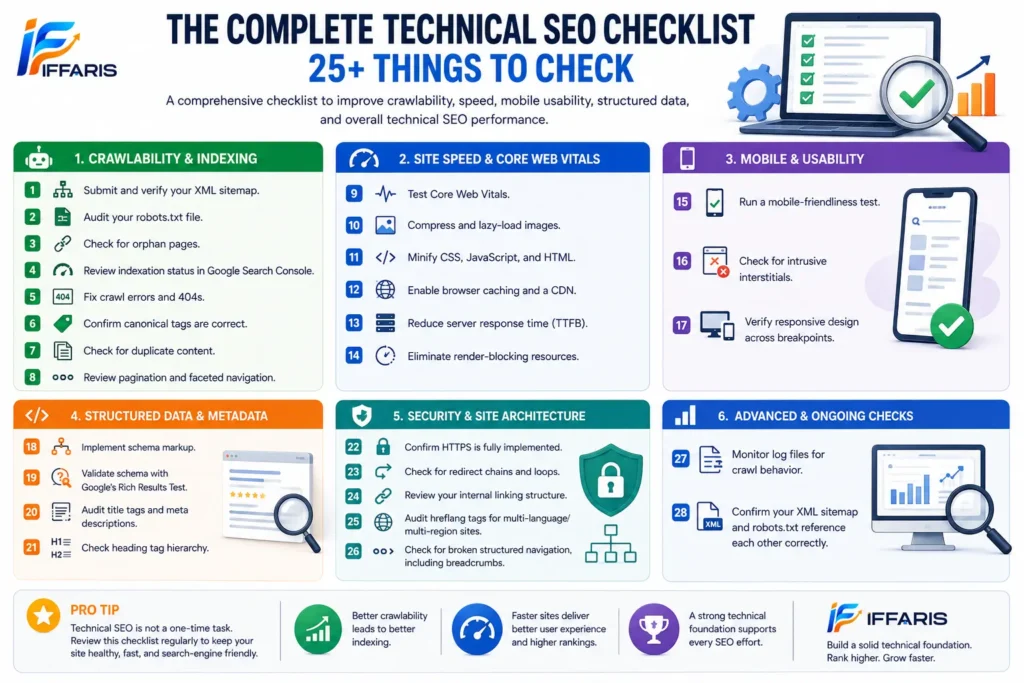
The Complete Technical SEO Checklist (25+ Items)
Crawlability and Indexing
1. Submit and verify your XML sitemap. Every technical SEO checklist starts here, because your sitemap is the roadmap you hand directly to search engines. It tells crawlers exactly which URLs matter and how your site is organized. Submit it inside Google Search Console and Bing Webmaster Tools, and confirm it returns a clean 200 status with no broken or orphaned entries. If your sitemap is outdated or missing new pages, everything downstream in this checklist becomes less effective.
2. Audit your robots.txt file. A single misplaced “Disallow” line can accidentally block your entire site from being crawled, and it happens more often than most site owners would guess, especially after a staging site migration. This is one of the most overlooked steps in this checklist, and it takes two minutes to check but can save months of lost visibility.
3. Check for orphan pages. Pages with no internal links pointing to them are difficult for crawlers to discover, even if they’re technically live and indexed. Any thorough audit should include a full crawl report using a tool like Screaming Frog or Sitebulb to surface orphaned URLs that nobody is linking to internally.
4. Review indexation status in Google Search Console. Compare the number of pages you expect to be indexed against what’s actually showing up in the index. A meaningful gap here is a red flag this checklist needs to investigate immediately, since it often points to duplicate content, noindex tags left over from staging, or crawl budget issues.
5. Fix crawl errors and 404s. Broken links waste crawl budget and hurt user experience simultaneously. Every audit like this one should include a recurring 404 check, especially after content updates, category restructuring, or a site migration where old URLs get lost in the shuffle.
6. Confirm canonical tags are correct. Incorrect canonical tags can tell Google to ignore your best-performing pages in favor of duplicates, thin variations, or even the wrong domain entirely in multi-site setups. This is a common and costly trap that a proper site audit will always catch before it does real damage to rankings.
7. Check for duplicate content. Duplicate or near-duplicate pages confuse search engines about which version deserves to rank, and they often split your ranking signals between two competing URLs instead of consolidating them. Tools like Copyscape or a simple site: search on Google help you spot this quickly as part of this process.
8. Review pagination and faceted navigation. E-commerce and directory sites often generate thousands of low-value URLs through filters, sorting options, and pagination parameters. This kind of checklist for these sites needs specific rules for noindexing or canonicalizing faceted pages so crawl budget isn’t wasted on near-duplicate filter combinations.
Site Speed and Core Web Vitals
9. Test Core Web Vitals. Largest Contentful Paint, Interaction to Next Paint, and Cumulative Layout Shift are confirmed ranking factors, not just nice-to-have metrics. No SEO checklist is complete without running PageSpeed Insights or reviewing Google Search Console’s Core Web Vitals report to see how real users experience your pages.
10. Compress and lazy-load images. Oversized images remain one of the single biggest speed killers on most websites. Adding this step to your technical SEO checklist is one of the fastest wins available: convert images to WebP, compress them aggressively without visible quality loss, and lazy-load anything below the fold so it doesn’t slow initial page load.
11. Minify CSS, JavaScript, and HTML. Reducing file size speeds up rendering and cuts down on unnecessary requests. This is a standard, relatively low-effort item on this list, especially for WordPress sites running multiple plugins that each load their own scripts and stylesheets.
12. Enable browser caching and a CDN. A content delivery network reduces load times for visitors located far from your origin server by serving cached content from a nearby location. Any checklist for a growing, international, or high-traffic site should include CDN configuration as a near-mandatory step.
13. Reduce server response time (TTFB). If your Time to First Byte is slow, everything downstream suffers no matter how well-optimized your front-end code is. Hosting quality matters more than most site owners realize, and evaluating it honestly belongs firmly on this list rather than being treated as a “set it and forget it” decision made years ago.
14. Eliminate render-blocking resources. Scripts and stylesheets that block rendering delay how fast users actually see content, even if the underlying page loads quickly on the server side. Addressing this is a more technical, developer-facing step, but it’s non-negotiable on a serious technical SEO checklist if speed scores matter to your business.
Mobile and Usability
15. Run a mobile-friendliness test. Google indexes the mobile version of your site first, which means a desktop-only mindset is a liability. A checklist without a dedicated mobile usability check is incomplete. Use Google’s Mobile-Friendly Test to confirm tap targets, font sizes, and viewport settings are all correctly configured.
16. Check for intrusive interstitials. Pop-ups and overlays that block content immediately on mobile can hurt rankings and frustrate visitors before they even see what the page is about. This is a smaller item, but it’s still worth a dedicated line on this list, particularly for sites relying on email capture pop-ups.
17. Verify responsive design across breakpoints. Test your layout on multiple screen sizes, not just desktop and one phone model. A thorough audit includes tablet, small-screen, and even landscape-orientation checks, since layout breaks often show up in these less commonly tested views.
Structured Data and Metadata
18. Implement schema markup. Structured data helps search engines understand exactly what type of content you’re publishing, whether that’s an article, a product, an FAQ, or local business information. Adding schema is one of the higher-impact items in any technical SEO checklist, since it can unlock rich results like star ratings, FAQ dropdowns, or breadcrumb trails directly in search results.
19. Validate schema with Google’s Rich Results Test. Adding schema isn’t enough on its own if it’s implemented incorrectly or contains syntax errors that prevent it from being read. Every checklist like this one should include a validation step to catch these mistakes before they quietly waste your effort.
20. Audit title tags and meta descriptions. While these lean closer to on-page SEO, missing, duplicate, or truncated metadata is a technical issue that crawlers flag constantly during a site audit. A technical SEO checklist should confirm every indexable page has a unique, accurately written title and description that actually reflects the content on the page.
21. Check heading tag hierarchy. A single H1 followed by a logical H2 and H3 structure helps both users and crawlers understand how a page is organized. This is a quick check, but it’s still an important item on this list, especially on pages that have been edited by multiple people over time.
Security and Site Architecture
22. Confirm HTTPS is fully implemented. Mixed content warnings and unsecured pages hurt both user trust and rankings. HTTPS verification, including checking for any remaining HTTP resources loading on secure pages, is a baseline requirement on every technical SEO checklist regardless of site size.
23. Check for redirect chains and loops. Multiple redirects in sequence slow crawlers down and dilute link equity with every extra hop. Cleaning these up is a recurring task on any well-maintained site, particularly for older sites that have been through several redesigns or platform migrations.
24. Review your internal linking structure. A flat, logical site structure helps both search engines and users find important pages faster, without requiring them to click through five layers of navigation. If you’re managing a resource hub like an SEO basics section, your technical SEO checklist should confirm those pages link to and from related content rather than sitting in isolation with no supporting context.
25. Audit hreflang tags for multi-language or multi-region sites. Incorrect hreflang implementation can serve the wrong language or regional version of a page to users, which hurts both experience and rankings in each target market. This is a niche but genuinely critical checklist item for any site operating across multiple countries or languages.
26. Check for broken structured navigation, including breadcrumbs. Breadcrumb schema improves both on-page usability and how your listing appears in search results. It’s a small addition, but it rounds out a genuinely comprehensive audit rather than leaving an easy win on the table.
27. Monitor log files for crawl behavior. Log file analysis reveals exactly how search engine bots interact with your site: what they crawl frequently, what they ignore entirely, and where they’re wasting time on low-value URLs. Advanced marketers treat this as one of the most valuable technical SEO checklist steps available, even though it’s often skipped because it requires server access most site owners don’t think to request.
28. Confirm your XML sitemap and robots.txt reference each other correctly. Your robots.txt file should explicitly point to your sitemap location so crawlers can find it without guessing. It’s a small detail, but leaving it out is a surprisingly common miss on an otherwise solid technical SEO checklist.
How to Turn This Technical SEO Checklist Into a Routine
A technical SEO checklist only creates lasting value if you run it on a consistent schedule, not just once during a launch and never again. Sites change constantly, and every change is a chance for something to quietly break. Here’s a simple cadence that works well for most sites, regardless of size:
- Weekly: Crawl error monitoring in Search Console, quick Core Web Vitals spot checks on your most important pages
- Monthly: Full-site crawl audit, indexation review, broken link and redirect cleanup
- Quarterly: Schema validation across all page types, hreflang audit if applicable, log file review, and a full run-through of the entire technical SEO checklist from top to bottom
Treating this checklist as a recurring calendar item rather than a one-time launch task is genuinely the single biggest shift most site owners can make. It turns technical SEO from a reactive fire drill, where you only notice a problem after traffic has already dropped, into a proactive process that catches issues before they cost you anything.
If you’re building out local service content alongside your technical work, pairing this checklist with a Google Business Profile ranking strategy compounds results faster than either tactic on its own, since strong technical foundations make every piece of new content perform better from the moment it’s published.
Common Mistakes When Running a Technical SEO Checklist
Even experienced teams skip steps they know they should be checking. The most common mistake is treating a technical SEO checklist as a one-time launch task instead of an ongoing process built into a regular workflow. Sites change constantly through new plugins, new pages, new redirects, and design tweaks, and each of those changes can introduce a fresh technical issue that sits undetected for months.
Another common mistake is focusing entirely on speed while ignoring crawlability, or the reverse: obsessing over indexing while ignoring how slow the site actually feels to real visitors. A technical SEO checklist has to cover both simultaneously, because a fast site that Google can’t crawl properly still won’t rank, and a fully indexed site that loads slowly will lose users before they ever convert, regardless of how well it ranks.
A third mistake is skipping mobile-specific checks because the desktop version “looks fine.” Since mobile indexing is the default, an audit that only tests desktop is checking the wrong version of the site entirely. As one industry guide on trades SEO points out, <cite index=”38-1″>creating genuinely useful content and earning relevant links from trustworthy, related sites plays a major role in overall SEO performance</cite>, but none of that content or link equity matters much if the technical layer underneath it is broken, slow, or unreadable to crawlers in the first place.
Tools to Help You Run a Technical SEO Checklist
You don’t need dozens of subscriptions to work through a technical SEO checklist properly. A focused, affordable stack covers almost everything most sites need:
- Google Search Console — indexing status, crawl errors, Core Web Vitals data straight from real users
- Screaming Frog or Sitebulb — full-site crawls, orphan page detection, redirect chain mapping
- PageSpeed Insights or Lighthouse — detailed speed and Core Web Vitals breakdowns per page
- Google’s Rich Results Test — schema markup validation before it goes live
- Ahrefs or Semrush — broader site health audits alongside backlink and keyword data
Running these tools against your technical SEO checklist every quarter, and spot-checking with them monthly, keeps small issues from ever becoming serious ranking problems that take weeks to fully recover from.
Technical SEO Checklist FAQ
How often should I run a technical SEO checklist? At minimum, run a full technical SEO checklist quarterly. High-traffic or frequently updated sites benefit from monthly reviews, paired with lighter weekly monitoring for crawl errors and speed regressions that can slip in between full audits.
Is a technical SEO checklist different from a full SEO audit? A technical SEO checklist is typically a focused subset of a full SEO audit. A complete audit often includes content quality, backlink profile, and keyword strategy, while a technical SEO checklist focuses specifically and narrowly on crawlability, indexing, speed, and site architecture.
Can I run a technical SEO checklist myself, or do I need a developer? Many items on a technical SEO checklist, like sitemap submission, metadata checks, and mobile testing, are accessible to non-developers with no coding background. Others, like fixing render-blocking scripts or reducing server response time, usually need developer support. A good checklist like this one tells you clearly which category each fix falls into so you know when to bring in extra help.
What’s the biggest technical SEO checklist mistake beginners make? Skipping the recurring review entirely. A technical SEO checklist that gets run once during launch and never again misses every issue introduced afterward, since plugin updates, content migrations, and structural changes all quietly create new problems over time that nobody notices until rankings drop.
Does a technical SEO checklist matter for small local business sites too? Yes, arguably even more so. Small sites often run on shared hosting with limited resources and rely heavily on plugins for basic functionality, both of which increase the odds of technical issues. A technical SEO checklist helps small business owners catch problems that would otherwise take a costly diagnosis to discover after rankings have already dropped.
Who Actually Needs to Run This Checklist
Some site owners assume technical audits are only for large enterprise sites with millions of pages, but that’s a misconception worth correcting. A local SEO business running a five-page site on WordPress benefits just as much, arguably more, since a single broken redirect or slow-loading homepage can quietly cost a small business a meaningful share of its monthly leads, and a poor Google Business Profile ranking factors score compounds that loss even further. Agencies managing multiple client sites need this checklist even more, since problems on one site rarely stay isolated; a shared plugin, a shared hosting environment, or a shared theme can introduce the same technical issue across an entire portfolio at once.
E-commerce sites carry their own set of risks, largely because of how quickly catalogs change. New products, discontinued items, seasonal category pages, and constant pricing updates all create opportunities for broken links, duplicate content, and crawl budget waste. Publishers and content-heavy blogs face a different challenge: as archives grow into the thousands of posts, orphaned pages and outdated internal links accumulate quietly in the background, unnoticed until a crawl report surfaces them all at once. In every case, the underlying principle stays the same: technical health is the foundation everything else in SEO is built on top of, and no amount of content or backlink work fully compensates for a broken foundation underneath it.
Final Thoughts
A technical SEO checklist isn’t a one-and-done task tucked away in a launch document somewhere. It’s the ongoing maintenance routine that keeps everything else you do in SEO actually working the way it’s supposed to. Content, backlinks, and keyword targeting only pay off if search engines can crawl, render, and index your site properly in the first place. Run through this technical SEO checklist regularly, fix issues the moment they surface, and you’ll protect the rankings you’ve already earned while building a stronger, more resilient foundation for everything you publish next.