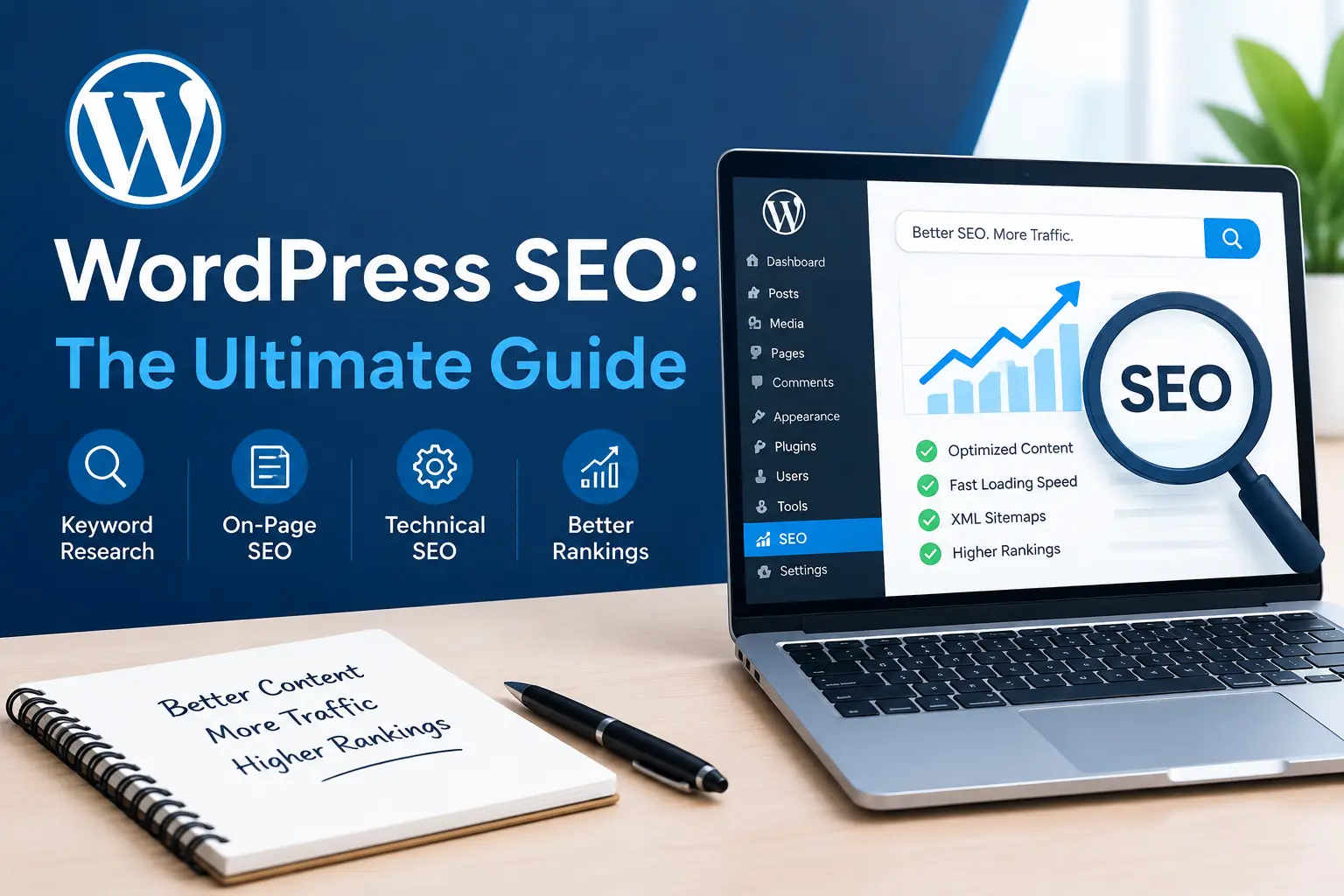
If you run a website on WordPress, you already know it’s one of the best platforms for building a search-friendly site — but only if you set it up the right way. WordPress SEO isn’t a single setting you toggle on; it’s a combination of the right theme, the right plugins, clean technical foundations, and content that actually answers what people are searching for. This guide walks through everything you need to know about WordPress SEO in 2026, from the basics to the advanced tactics that separate ranking sites from invisible ones.
Whether you’re launching a brand-new blog or trying to fix a site that’s stuck on page two of Google, this WordPress SEO guide gives you a practical, step-by-step path forward. We’ll cover on-page optimization, technical fixes, plugin recommendations, content strategy, local tactics, and the common mistakes that quietly sabotage rankings. By the end, you’ll have a full checklist you can apply to any WordPress site.
What Is WordPress SEO?
WordPress SEO refers to the process of optimizing a website built on the WordPress content management system so it ranks higher in search engine results. It combines general search optimization principles — keyword research, content quality, backlinks — with platform-specific tactics like plugin configuration, permalink structure, theme performance, and how WordPress handles categories, tags, and metadata by default.
Because WordPress powers such a large share of the web, search engines are very familiar with its structure. That familiarity is an advantage, but it also means certain mistakes are common and well documented — duplicate content from tag archives, slow themes loaded with unnecessary scripts, and missing meta descriptions are just a few examples. Doing this well means proactively fixing these default weaknesses instead of letting them accumulate over time.
In short, WordPress SEO is everything you do, inside and outside the dashboard, to help your content get found, understood, and ranked fairly by search engines.
Why WordPress SEO Matters in 2026
Search is more competitive than ever, and Google’s algorithms have gotten better at rewarding sites that combine strong content with a technically clean foundation. Investing in WordPress SEO now pays off in several concrete ways:
- More organic traffic — Ranking for relevant keywords brings in visitors without paying for ads.
- Better user experience — Much of this optimization work overlaps with making your site faster and easier to navigate.
- Higher conversion rates — Visitors who find you through a relevant search are already interested in what you offer.
- Long-term compounding growth — Unlike paid traffic, organic rankings built through solid WordPress SEO keep delivering value months and years later.
- Lower customer acquisition cost — Once a page ranks, it can keep generating leads or sales without ongoing ad spend.
If you’re still treating this as an afterthought, you’re leaving a significant amount of traffic — and revenue — on the table. Sites that prioritize it early tend to build a compounding advantage that’s difficult for competitors to catch up to later.
WordPress SEO Checklist Before You Start
Before diving into individual tactics, it helps to have a mental checklist of what proper optimization actually touches. A solid WordPress SEO foundation includes:
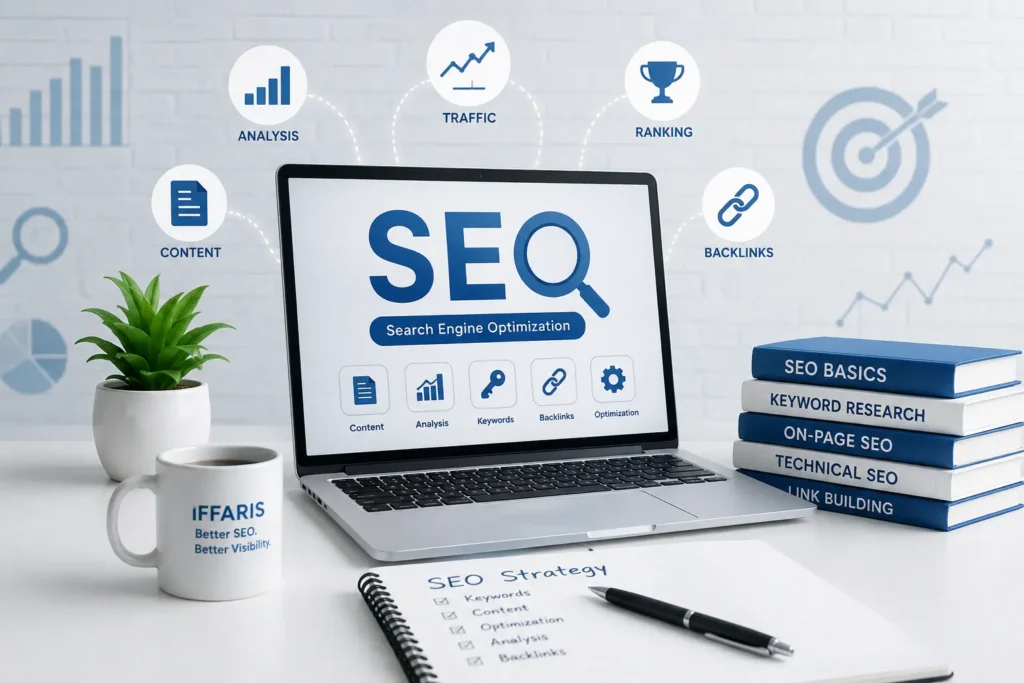
- An SEO-friendly, lightweight theme
- A reliable SEO plugin configured correctly
- Clean, keyword-relevant permalinks
- Optimized titles and meta descriptions on every page
- A logical internal linking structure
- Compressed, properly labeled images
- Fast page load times and strong Core Web Vitals
- An XML sitemap submitted to Google Search Console
- Mobile-friendly, responsive design
- Schema markup where relevant
- A documented content and keyword strategy
- A recurring maintenance routine
We’ll go through each of these areas in detail, because every one of them plays a role in how well a WordPress SEO strategy performs over time.
Choosing an SEO-Friendly WordPress Theme
Your theme is the foundation of your optimization efforts, and a bloated theme can undo everything else you do. Many free and premium themes load unnecessary CSS, JavaScript, and sliders that slow your site down — and site speed is a direct ranking factor. When picking a theme with WordPress SEO in mind, look for:
- Clean, minimal code with no unnecessary bloat
- Proper heading hierarchy (H1, H2, H3) built into templates
- Mobile responsiveness out of the box
- Regular updates and good developer support
- Compatibility with major caching and SEO plugins
- A clean, semantic HTML structure that search engines can parse easily
Switching from a heavy theme to a lightweight one is often the single biggest technical improvement a site owner can make for WordPress SEO, sometimes cutting load times in half without touching a line of content. Before committing to a theme, test a demo version with a page speed tool and compare it against two or three alternatives.
Best WordPress SEO Plugins
You don’t need dozens of plugins to do this well — you need the right few, configured properly. Here are the categories every WordPress SEO setup should include:
All-in-one SEO plugins (Rank Math or Yoast SEO) handle your title tags, meta descriptions, XML sitemaps, breadcrumbs, and schema markup from one dashboard. These plugins are the backbone of practical WordPress SEO because they surface on-page issues as you write, before you hit publish.
Caching plugins (WP Rocket, W3 Total Cache) reduce server response time, which directly affects Core Web Vitals and, by extension, ranking performance.
Image optimization plugins (ShortPixel, Imagify) compress images automatically so large media files don’t slow down page speed — a frequent culprit behind poor scores.
Broken link checkers help you catch 404 errors before they hurt your crawl budget and user experience.
Redirect managers let you handle URL changes cleanly, which matters whenever you restructure content as part of an ongoing WordPress SEO plan.
Installing an SEO plugin is step one, but the real value comes from actually using its recommendations — filling in every meta title, meta description, and focus keyword field rather than leaving defaults in place. Many site owners install a plugin, run one scan, and never revisit it; consistent use is what separates a genuinely optimized site from one that merely has a plugin installed.
On-Page WordPress SEO
On-page optimization is where most of your day-to-day WordPress SEO work happens. It covers everything you control directly on a given page or post.
Title Tags and Meta Descriptions
Every page needs a unique, keyword-relevant title tag and meta description. Your SEO plugin will generate defaults, but writing these manually gives you far more control. A well-written title tag should include your primary keyword near the front, stay under roughly 60 characters, and give searchers a reason to click rather than simply restating the page topic.
Header Structure
Use one H1 per page (usually your post title), followed by a logical hierarchy of H2 and H3 subheadings. This isn’t just about readability — search engines use header structure to understand what a page covers, which is a core part of how a search engine evaluates topical relevance during WordPress SEO analysis.
Keyword Placement
Effective optimization means placing your target keyword naturally in the first 100 words, in at least one subheading, in the URL, and sprinkled through the body without forcing it. Keyword stuffing does more harm than good; the goal of WordPress SEO is natural, readable language that still clearly signals what the page is about. If a sentence sounds awkward because you crammed a phrase into it, rewrite it.
Content Depth and Readability
Search engines increasingly reward pages that thoroughly answer a query rather than skim the surface. Break up long paragraphs, use bullet points where appropriate, and write at a reading level your actual audience will find easy to follow. Depth and clarity work together — a technically perfect page with thin content still won’t compete for meaningful WordPress SEO results.
Internal Linking
Internal links help search engines discover and understand the relationship between pages on your site, and they keep visitors engaged longer. For example, if you’re covering the basics, it helps to link out to a piece like what is SEO or a broader explainer on how does SEO work so readers unfamiliar with the fundamentals have somewhere to go. A thoughtful internal linking structure is one of the most underrated parts of WordPress SEO because it’s entirely within your control and costs nothing to implement.
Technical WordPress SEO
Technical optimization covers the behind-the-scenes elements that make your site easy for search engines to crawl, index, and rank.
Site Speed and Core Web Vitals
Page speed is a confirmed ranking factor, and it’s one of the areas where WordPress sites most often fall short. Bloated themes, unoptimized images, and too many plugins all slow things down. For a deeper technical breakdown, see this guide on Core Web Vitals, which explains exactly how Google measures loading, interactivity, and visual stability. Improving these metrics is one of the fastest ways to boost WordPress SEO results without writing a single new blog post. You can also review this breakdown of website speed factors for a checklist of what to fix first.
XML Sitemaps
Your SEO plugin automatically generates an XML sitemap, but you still need to submit it to Google Search Console so it gets crawled efficiently. A clean, updated sitemap is a small but essential part of technical WordPress SEO, especially on larger sites with hundreds of posts and pages.
Robots.txt
Your robots.txt file tells search engines which parts of your site to crawl and which to skip. Misconfigured robots.txt files are a surprisingly common mistake — accidentally blocking CSS or JavaScript files, or entire sections of a site, can tank rankings without any obvious warning sign. Review this file any time you migrate hosts or change plugins.
SSL and HTTPS
HTTPS is a baseline requirement now, both for security and for search visibility, since Google has confirmed it as a ranking signal. Most hosts offer free SSL certificates, so there’s rarely a good reason to skip this step in any WordPress SEO setup.
Mobile-Friendliness
Google uses mobile-first indexing, meaning it primarily crawls and ranks the mobile version of your site. Any strategy that isn’t mobile-first is already behind on WordPress SEO. Test your site regularly across devices and fix layout issues, oversized tap targets, and overflow problems as they appear.
Schema Markup
Structured data, or schema, helps search engines understand your content in more detail and can unlock rich results like star ratings, FAQs, and breadcrumbs in the search results. Most modern SEO plugins add basic schema automatically, but reviewing and customizing it further is a smart, often-skipped layer of technical work. For a general foundation, this technical SEO checklist is a useful companion reference alongside your WordPress SEO plugin settings.
WordPress SEO for Images
Images are frequently overlooked, yet they can meaningfully affect both speed and discoverability. To optimize images properly as part of your broader WordPress SEO plan:
- Compress every image before uploading, or use an optimization plugin
- Use descriptive, keyword-relevant file names instead of generic ones like “IMG_2031.jpg”
- Fill in alt text that accurately describes the image and, where natural, includes your target keyword
- Choose modern formats like WebP for smaller file sizes
- Set explicit width and height attributes to prevent layout shift
- Lazy-load images below the fold to speed up initial page rendering
Image-heavy blogs and portfolio sites see some of the largest gains from this often-ignored layer of optimization.
WordPress SEO for URLs and Permalinks
By default, WordPress sometimes uses messy URL structures with dates or ID numbers. For cleaner WordPress SEO, switch your permalink settings to a “post name” structure so URLs look like yoursite.com/keyword-topic instead of yoursite.com/?p=123. Clean permalinks are easier to read, easier to share, and give search engines an additional relevance signal. Avoid stuffing URLs with unnecessary words; short, descriptive slugs are best practice, and changing an existing structure later should always be paired with proper redirects.
Content Strategy for WordPress SEO
Technical fixes and plugins only get you so far — content is still what search engines are ultimately ranking. A strong content strategy includes:
- Keyword research to understand what your audience is actually searching for before you write
- Search intent matching, making sure a page’s format (guide, list, comparison, product page) matches what searchers expect
- Comprehensive coverage of a topic rather than thin, surface-level posts
- Regular publishing to build topical authority over time
- Content updates on older posts to keep information current, which search engines reward with renewed visibility
- Topic clusters, where a central pillar page links out to several supporting articles on related subtopics
Combining consistent content production with the on-page and technical elements above is what turns a checklist into a real growth engine for WordPress SEO. For sites targeting local customers specifically, this local SEO guide covers how to adapt the same principles for a geographic audience, and pairs well with a broader link building strategy to earn authority from other relevant sites.
Local WordPress SEO
If your business serves a specific city or region, this work takes on an added local dimension. This includes optimizing your Google Business Profile, building local citations, and creating location-specific landing pages on your WordPress site. Plugins that support local schema markup can help search engines associate your content with the right geographic area. Pairing your on-site optimization with a strategy like the one in this Google Business Profile optimization guide gives local businesses a much stronger footprint in map-pack and local search results, and it’s a natural extension of any WordPress SEO plan built for service-based businesses.
Measuring WordPress SEO Success
None of this matters if you can’t tell whether it’s working. Set up Google Search Console and Google Analytics from day one so you can track:
- Impressions and clicks for your target keywords
- Average ranking position over time
- Organic traffic by landing page
- Core Web Vitals scores and any flagged issues
- Bounce rate and time on page for your top posts
Reviewing these numbers monthly turns WordPress SEO from a guessing game into a data-driven process, where you can clearly see which pages need more content, which need technical fixes, and which are already performing well enough to leave alone.
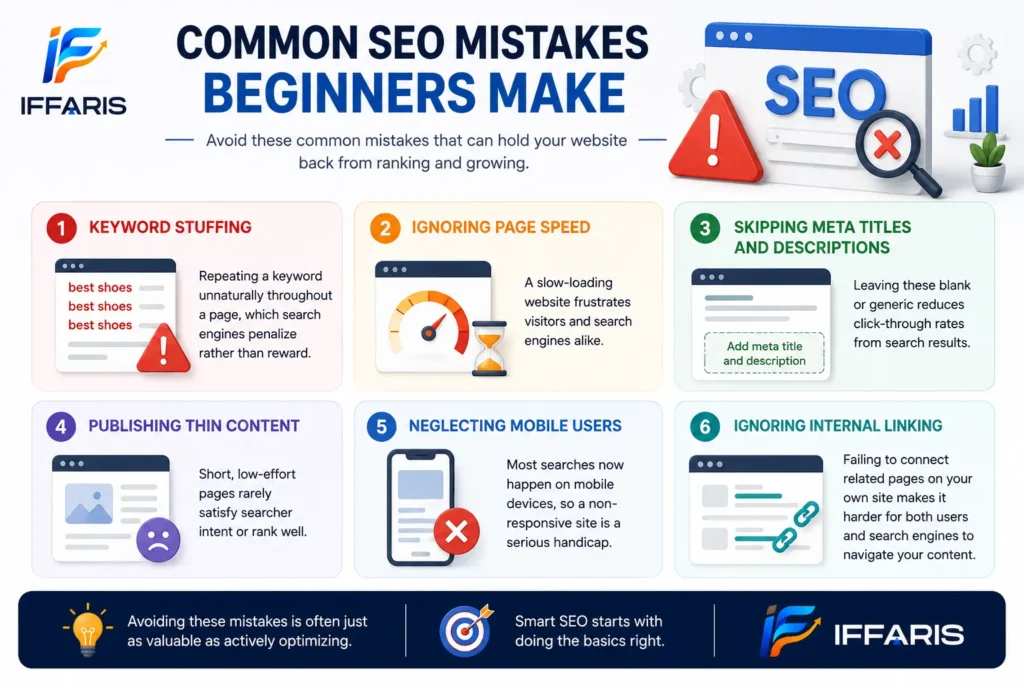
Common WordPress SEO Mistakes to Avoid
Even experienced site owners make mistakes that quietly hold rankings back. Watch out for:
- Duplicate content from tag and category archives — thin archive pages with little unique content can dilute rankings.
- Ignoring broken links — both internal 404s and outdated external links hurt user experience and crawl efficiency.
- Overusing plugins — every additional plugin is potential bloat; audit your plugin list regularly.
- Skipping alt text and meta descriptions — small fields that add up across dozens or hundreds of posts.
- Neglecting mobile performance — since mobile-first indexing means mobile issues directly affect rankings.
- Keyword stuffing — cramming a phrase unnaturally into every sentence reads poorly and can trigger algorithmic penalties.
- Forgetting to update the XML sitemap after restructuring content or migrating a site.
- Publishing without a plan — writing posts with no keyword research behind them, which wastes effort on topics nobody searches for.
Fixing these issues is often faster and cheaper than producing new content, making mistake-cleanup one of the highest-return parts of ongoing WordPress SEO work.
WordPress SEO Maintenance Checklist
This isn’t a one-time project — it needs regular upkeep. A simple monthly maintenance routine should include:
- Reviewing Google Search Console for crawl errors and indexing issues
- Checking Core Web Vitals scores and fixing any regressions
- Auditing for broken internal and external links
- Updating outdated statistics or information in older posts
- Reviewing top-performing keywords and expanding related content
- Confirming plugins and themes are updated to avoid security and performance issues
- Revisiting your permalink structure and redirects after any major content changes
Sites that treat this as an ongoing process — rather than a one-time setup — are the ones that keep climbing rankings quarter after quarter, while sites that set it and forget it gradually slide backward as competitors improve their own WordPress SEO.
WordPress SEO Tools Worth Using Beyond Plugins
Plugins handle most of the on-site work, but a handful of external tools round out a complete workflow. A keyword research tool helps you validate search volume and competition before committing time to a topic. A rank tracker shows how your positions shift week to week, which is far more useful than checking manually. A site audit tool crawls your entire domain and flags broken links, missing tags, and duplicate content you’d otherwise miss. Browser extensions that show on-page metadata at a glance are also handy when reviewing competitor pages for ideas.
None of these tools are strictly required to get started, but as a site grows past a few dozen pages, manual tracking becomes unreliable. Layering in a rank tracker and a site auditor turns guesswork into a repeatable process you can run every month alongside your regular maintenance checklist.
Building a Realistic Timeline and Budget
One of the most common questions from site owners is how much time and money this actually requires. The honest answer is that it depends heavily on your starting point. A brand-new site with no content or backlinks will take longer to gain traction than an established domain that simply needs technical cleanup and better internal linking. Budget-wise, the core plugins mentioned earlier have solid free tiers, so the main investment for most small sites is time: research, writing, and periodic audits rather than large recurring costs.
If you’re working with a limited budget, prioritize in this order: fix anything actively blocking indexing (robots.txt errors, missing sitemaps), then address page speed, then focus the majority of remaining time on content that targets keywords your audience is actually searching for. Chasing advanced tactics before these fundamentals are solid rarely pays off, and it’s a common reason early efforts stall out before showing results.
How WordPress SEO Differs From Other Platforms
Site owners moving from other platforms sometimes assume every content management system handles search optimization the same way. In practice, the plugin ecosystem is what sets WordPress apart — very few platforms offer the same depth of free and premium tools for metadata control, schema, and technical auditing. That flexibility is a double-edged sword: it gives you more control, but also more ways to misconfigure something. Platforms with tightly locked-down themes and page builders sometimes produce more consistent (if less customizable) technical results by default, simply because there’s less room for user error.
Understanding this trade-off helps set expectations. A well-configured setup on this platform can outperform almost any alternative, but it requires more deliberate setup than a closed system would.
Frequently Asked Questions
Does WordPress come with SEO built in? WordPress has a reasonably clean code base and generates basic sitemaps and permalinks, but it doesn’t include full meta tag control, schema markup, or keyword tools out of the box — that’s what a dedicated plugin adds.
How long does it take to see WordPress SEO results? Most sites start seeing meaningful movement within three to six months, though highly competitive keywords can take longer. Technical fixes tend to show impact faster than new content does.
Is one SEO plugin enough? Usually yes. Running two full SEO plugins at once often causes duplicate schema markup and conflicting sitemaps, which can hurt more than help.
Do I need a developer to get this right? Not necessarily. Most of the checklist in this guide — plugin setup, permalinks, image compression, internal linking — can be handled by a site owner with a bit of patience. A developer becomes more useful for deeper technical work, like custom schema, server-level caching configuration, or migrating to a faster host, but the majority of the day-to-day work is well within reach without one.
Should I hire someone or handle it myself? That depends on your time and the size of your site. Solo bloggers and small business owners often manage the basics themselves using the checklist above, revisiting it monthly. Larger sites with dozens of pages, multiple contributors, or aggressive growth targets usually benefit from bringing in a specialist who can run deeper audits, manage a content calendar, and handle link building at scale.
Conclusion
WordPress SEO brings together theme choice, plugin configuration, on-page optimization, technical health, and content strategy into one ongoing practice. None of these pieces work particularly well in isolation — a fast site with thin content won’t rank, and neither will great content buried under a slow, poorly configured theme. The sites that win long-term treat WordPress SEO as a continuous cycle: publish strong content, keep the technical foundation clean, monitor performance, and refine based on what the data shows.
Start with the checklist in this guide, tackle one section at a time, and revisit it regularly. Done consistently, WordPress SEO compounds — every fixed page, every new post, and every technical improvement adds up to meaningfully stronger rankings over time.