Every day, billions of people type a question into Google and receive an answer in a fraction of a second. It feels like magic, but it is actually a carefully designed system with three clear stages. If you own a website, a blog, or a local business, understanding how Google Search works is one of the most valuable things you can learn, because every ranking you earn depends on it.
Many beginners think Google simply “reads” the internet live whenever someone searches. That is not what happens. Instead, Google discovers pages ahead of time, stores them in a massive database, and then picks the best matches when a query arrives. Once you see how Google Search works from start to finish, SEO stops feeling like guesswork and starts feeling like a logical process you can control.
In this guide, you will learn how Google Search works through its three main stages: crawling, indexing, and ranking. You will also see how to help Google find your pages, what stops them from appearing, and which practical steps improve your chances. If you are brand new to the topic, you may want to read our introduction to what is SEO first, then return here for the technical side.
An Overview of How Google Search Works
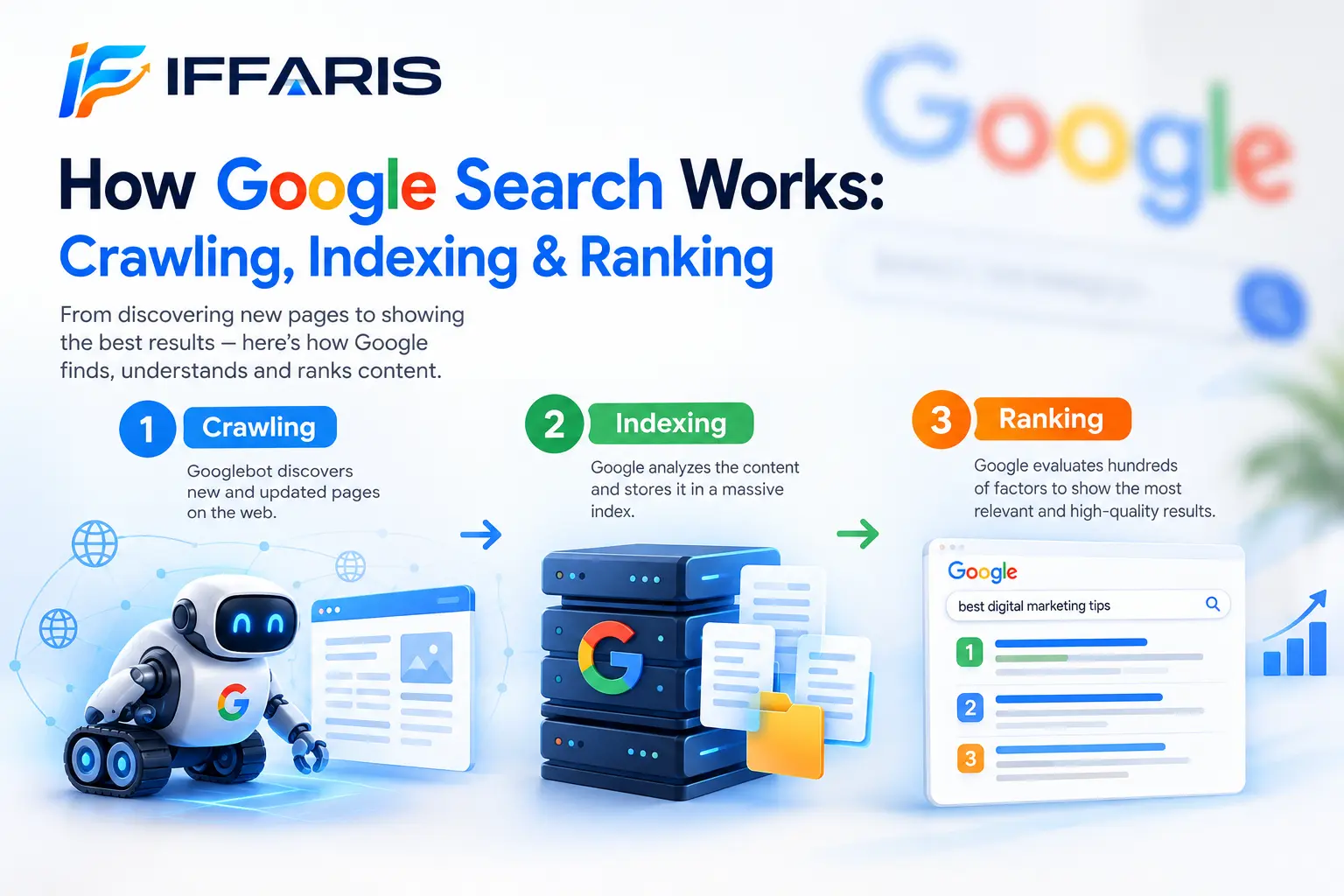
At the highest level, how Google Search works can be summed up in three steps:
- Crawling. Automated programs called crawlers find pages across the web.
- Indexing. Google analyzes those pages and stores useful information in its index.
- Serving and ranking. When someone searches, Google selects relevant pages from the index and orders them by quality and usefulness.
Think of Google as a giant library. Crawlers are the scouts who find new books. Indexing is the process of cataloging each book so it can be found later. Ranking is the librarian who hears your question and hands you the best books first. A page that is never found, never cataloged, or never judged helpful will not appear in results, no matter how good the design looks.
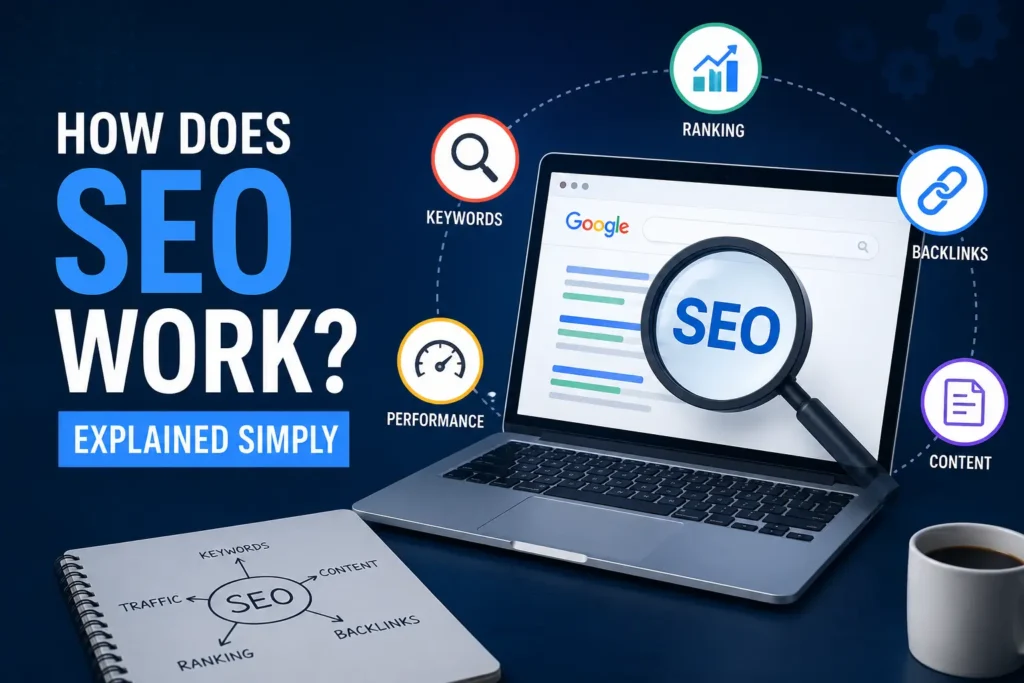
Knowing how Google Search works also explains why some pages rank within days while others take months, and why some never show up at all. Each stage has its own rules and its own possible problems. For a simpler beginner summary, our post on how does SEO work covers the big picture, while this article goes deeper into each stage.
Stage One: Crawling and How Google Finds Your Pages
Crawling is the discovery stage. Google uses a program called Googlebot to visit web pages, read their content, and follow the links it finds. This is the first step in how Google Search works, because a page that is not discovered cannot be indexed or ranked.
How Googlebot Discovers New Pages
Google finds pages in several ways:
- Following links. Googlebot moves from page to page through links. When a known page links to a new page, the crawler follows that path.
- Reading sitemaps. An XML sitemap is a list of the URLs you want crawled. You can submit it through Google Search Console.
- Previously known URLs. Google revisits pages it already knows to check for updates.
- Direct submissions. You can request that a specific page be inspected using the URL Inspection tool.
Links are the most important discovery method. A page with no internal links pointing to it is called an orphan page, and crawlers may never find it. That is why a strong internal linking structure matters so much. Understanding how Google Search works makes it clear that every important page on your website should be reachable within a few clicks from your homepage.
What Is Crawl Budget?
Google does not crawl every page on every site every day. It assigns a rough limit to how much time and attention each site receives. This limit is often called crawl budget. For small websites, it is rarely a problem. For large sites with thousands of URLs, wasted crawl budget on duplicate pages, endless filters, or broken links can delay the discovery of important content.
You can protect your crawl budget, an important piece of how Google Search works for big sites, by keeping your site tidy:
- Fix broken links and redirect chains.
- Avoid creating many near-duplicate pages.
- Keep your server fast and reliable.
- Remove low-value pages that serve no purpose.
If your server responds slowly or returns errors, Googlebot may slow down its visits. Speed is not only a user experience factor; it also influences how efficiently Google can collect your content. You can read more in our guide on WordPress website speed.
Rendering: Seeing the Page Like a User
Modern websites often rely on JavaScript to display content. After downloading the page code, Google may render the page, which means it runs the code to see the final version that visitors see. This is another detail in how Google Search works that surprises many site owners. If your important text or links only appear after complicated scripts run, Google may see them later, or in some cases not at all.
To stay safe, make sure your main content, headings, and navigation links are visible in a clean, crawlable format. Simple HTML links are the most reliable choice.
Controlling Crawlers With robots.txt
A robots.txt file sits at the root of your site and tells crawlers which areas they may or may not visit. You might block admin areas, internal search results, or temporary folders. However, a robots.txt rule is a request about crawling, not a guaranteed way to keep a page out of search results. Learn the correct setup in our guide to robots.txt for SEO.
A common and costly mistake is accidentally blocking your entire site or important folders. Anyone who understands how Google Search works will double-check this file after every launch or redesign.
Stage Two: Indexing and How Google Stores Your Content
After a page is crawled, Google tries to understand it. This is the indexing stage. The search index is a giant database containing information about the pages Google has decided are worth keeping.
What Happens During Indexing
When Google processes a page, it analyzes many things:
- The main text and the topic it covers
- The title tag, headings, and image descriptions
- Links to and from the page
- The language and the country it appears to target
- Structured data that explains the page type
- Whether the page duplicates another page
Google then groups similar pages together and chooses one version to represent them. This chosen version is called the canonical page. If you publish the same content at multiple addresses, Google picks one. You can guide that choice with a canonical tag, but remember it is a hint rather than a command.
Not every crawled page makes it into the index, which is central to how Google Search works. This is a critical lesson in how Google Search works: crawling does not guarantee indexing. Google may skip pages that are very thin, low in value, duplicated, or blocked from indexing.
Common Reasons a Page Is Not Indexed
If a page fails to appear, the cause is usually one of these:
- A noindex tag. This directive tells Google not to keep the page in its index. It is useful for thank-you pages but disastrous when applied by mistake.
- Duplicate content. If another page is considered the main version, yours may be left out.
- Thin or low-quality content. Pages that add little value are often excluded.
- Crawl blocks. A robots.txt rule may prevent Google from seeing the page at all.
- Soft errors. Pages that look empty or broken may be treated as missing.
- Server problems. Repeated errors can stop indexing.
You can diagnose these issues for free. The URL Inspection tool in Search Console shows whether a page is indexed and why not. Our walkthrough of the Search Console coverage report explains each status in detail, and the post on Google Search Console indexing shows practical fixes for stubborn pages.
Mobile-First Indexing
Google primarily uses the mobile version of a page for indexing and ranking. That means if your mobile site hides content that exists on desktop, Google may never count it. Understanding how Google Search works today means treating mobile as the main version of your site, not an afterthought. Use responsive design, keep content consistent across devices, and test pages on real phones.
Helping Google Understand Your Pages
You can make indexing easier by being clear. Use descriptive titles, logical headings, and meaningful internal links. Add structured data where it fits, such as local business or FAQ markup. Write content that clearly states what the page is about in the first few paragraphs. The clearer your signals, the less Google has to guess.
If you want a full list of technical items to verify, use our technical SEO checklist, and for a broader foundation read the technical SEO guide.
Stage Three: Ranking and How Google Serves Results
Ranking is where the competition happens, and it is the part of how Google Search works that most site owners care about. When a user types a query, Google searches its index and selects pages that may answer it. Then it sorts them using hundreds of signals. This is the most discussed part of how Google Search works, and also the most misunderstood.
Step One: Understanding the Query
Before ranking anything, Google interprets what the searcher means, which is a hidden step in how Google Search works. It handles spelling mistakes, synonyms, and different phrasings. It also identifies intent. A search for “pizza” might be about ordering nearby, finding recipes, or learning history. Google uses language understanding systems to figure out the most likely meaning.
This is why search intent matters so much for content creators. Pages that match what people actually want perform better than pages that simply repeat a phrase. Knowing how Google Search works at this stage helps you plan content around questions rather than isolated words.
Step Two: Finding Relevant Pages
Next, Google pulls candidates from its index, another key part of how Google Search works. It looks at whether the page content, titles, headings, and links match the topic of the query. A page that thoroughly covers a subject and uses natural, related language is more likely to be selected.
Step Three: Ordering Results With Ranking Signals
From the candidate pages, Google orders results using many signals. Google has said it uses a blend of systems rather than one single formula. The factors below are widely understood to matter.
Relevance and content quality. The page must answer the query clearly and completely. Helpful, original, and well-organized content has a strong advantage. Our on-page SEO checklist shows how to structure pages for both readers and search engines, and the on-page SEO article adds more practical examples.
Links and authority. Links from other trusted sites act like recommendations. Quality matters far more than quantity. Learn proven methods in our guides on link building strategies and how to get backlinks.
Expertise, experience, and trust. Google wants to show reliable sources, especially for topics that affect health, money, or safety. Clear authorship, accurate facts, and a transparent business identity all support trust.
Page experience. Fast loading, stable layouts, safe browsing, and mobile-friendly design make pages easier to use. Core Web Vitals measure part of this experience, and you can study them in the Core Web Vitals guide.
Location and context. Results change depending on where the searcher is, their language, and sometimes their previous behavior. This is especially important for local services, as covered in our local SEO guide.
Freshness. For news and fast-changing topics, newer content often wins. For timeless topics, accuracy and depth matter more than the date.
Step Four: Building the Results Page
Finally, Google assembles the results page. It is no longer just ten blue links. Depending on the query, you may see featured snippets, maps, images, videos, shopping results, “People also ask” boxes, and AI-generated summaries. Part of how Google Search works is deciding which of these features best serve each query, then placing pages inside them.
Because of this variety in how Google Search works, you should think beyond a single ranking position. Appearing in a snippet or a map pack can drive more visibility than a standard listing.
The Role of Artificial Intelligence in Google Search
Artificial intelligence now sits inside many parts of search. Systems help Google understand language, match meaning instead of exact words, and summarize answers. This evolution has not changed the foundation of how Google Search works, because pages still need to be crawled, indexed, and judged useful. What has changed is how Google interprets meaning and presents answers.
For publishers, the lesson is simple. Write for real people, cover topics in depth, and provide information that is accurate and original. To explore this subject further, read our article on AI and SEO, which explains how machine learning is shaping modern optimization.
How Google Fights Spam and Low-Quality Pages
Another important layer of how Google Search works is quality protection. Google uses automated systems and human review to reduce spam. Tactics such as keyword stuffing, hidden text, cloaking, paid link schemes, and mass-produced low-value content can lead to lower rankings or removal from results.
Google also publishes guidelines that describe what it considers helpful content. In short, content should be created for people first, show real knowledge, and leave the reader satisfied. Shortcuts may work briefly, but they rarely last. Our article on off-page SEO techniques shows safe ways to build authority, and the post on common SEO mistakes lists habits to avoid.
Why Understanding How Google Search Works Matters for SEO
Learning how Google Search works is not just theory. It changes the way you plan, write, and troubleshoot. When traffic drops, you can ask a smart question: is this a crawling problem, an indexing problem, or a ranking problem? Each answer leads to a different fix, and without knowing how Google Search works, you could waste weeks changing the wrong things.
Imagine a page that gets no impressions. If Google never crawled it, you need better internal links or a sitemap. If it was crawled but not indexed, you need stronger content or fewer duplicates. If it is indexed but sits on page six, you need better relevance, links, or experience. This simple diagnostic habit is the real payoff of understanding how Google Search works.
It also keeps you away from bad advice. Many so-called tricks promise instant rankings, yet they ignore how Google Search works in practice. Systems that crawl, index, and rank billions of pages are built to reward consistent usefulness, not shortcuts. Publishers who respect how Google Search works tend to build traffic that survives updates.
Practical Steps: Applying How Google Search Works to Your Website
Knowledge of how Google Search works is only useful when applied. Here is a practical checklist built on how Google Search works.
Make Your Site Easy to Crawl
- Create and submit an XML sitemap.
- Link every important page from other pages.
- Fix broken links and long redirect chains.
- Review your robots.txt file for accidental blocks.
- Keep your hosting fast and stable.
Make Your Pages Easy to Index
- Give each page unique, helpful content.
- Use clear titles, headings, and descriptions.
- Use canonical tags to manage duplicates.
- Avoid noindex tags on pages you want to rank.
- Make sure the mobile version contains your full content.
Make Your Pages Worth Ranking
- Match search intent with the right page type.
- Cover the topic completely, with examples and answers to common questions.
- Earn quality links through useful resources and outreach.
- Show who is behind the content and why they can be trusted.
- Improve loading speed and visual stability.
If you want a stronger plan that connects all of these actions, the SEO strategy article shows how to build a realistic roadmap over several months.
How to Check Your Website Using Google Search Console
Search Console is the best free window into how Google Search works for your own site. It shows what Google sees, not what you assume it sees.
URL Inspection. Enter a page address to see whether it is indexed, when it was last crawled, and whether any problems exist. You can also request indexing after publishing or updating a page.
Pages report. This report lists indexed and non-indexed pages with reasons, making it easy to spot patterns such as widespread noindex or duplicate issues.
Sitemaps report. Confirm that Google can read your sitemap and see how many URLs it discovered.
Performance report. Review queries, clicks, impressions, and average position. This reveals which searches already bring you visibility and which pages need improvement.
If you are new to the tool, start with our tutorial on how to use Google Search Console. For deeper reporting, the guide to the Google Search Console performance report explains how to read the data.
A Simple Monthly Routine
Once a month, check for new indexing errors, review pages that lost impressions, and test a few important URLs. Small regular checks catch problems early. Anyone who understands how Google Search works knows that technical issues rarely fix themselves.
How Google Search Works for Local Businesses
Local searches follow the same three stages of how Google Search works, but ranking adds extra signals. For queries with local intent, Google often shows a map pack drawn from Business Profile listings. Relevance, distance, and prominence are the central ideas. Relevance means how well your listing matches the search. Distance means how close you are to the searcher. Prominence means how well known and trusted your business appears across the web.
To compete locally, complete your Business Profile, keep your name, address, and phone number consistent, collect honest reviews, and build local pages for each service and area. Our article on Google Business Profile ranking factors explains what influences those map rankings. For a comparison of regular and local optimization, see local SEO vs SEO, and use a local SEO audit to find gaps in your own presence.
Applying how Google Search works to local queries gives small businesses a real chance to compete with larger brands, because proximity and relevance can outweigh sheer size.
Common Myths About How Google Search Works
Misinformation about how Google Search works spreads quickly in SEO. Here are myths worth dropping.
Myth: Submitting a sitemap guarantees indexing. A sitemap helps discovery, but Google still decides whether a page deserves a place in the index.
Myth: More pages always means more traffic. Quantity without quality can dilute your site. A smaller set of strong pages often outperforms a large set of weak ones.
Myth: Keywords alone decide rankings. Keywords help Google understand your topic, but intent, quality, links, and experience matter just as much.
Myth: Google instantly sees changes. After an update, pages must be recrawled and reprocessed, so results can take time.
Myth: Paying for ads improves organic rankings. Advertising and organic results are separate systems, and spending on ads does not boost your organic position.
Clearing up these misunderstandings is part of learning how Google Search works in a realistic way.
How Long Does It Take for Google to Rank a New Page?
There is no fixed timeline. A new page on an established, frequently crawled site may be discovered within days. A page on a brand-new site may take longer. After indexing, rankings still need time to settle as Google gathers signals about how users interact with the page.
You can speed things up by linking to new pages from established ones, adding them to your sitemap, and requesting indexing in Search Console. Beyond that, patience and consistent publishing are what build momentum. Anyone who understands how Google Search works accepts that SEO is a long game, not a switch.
Quick Recap of How Google Search Works
If you only remember one thing, remember this order. First, Googlebot discovers your page through links and sitemaps. Second, Google processes, understands, and stores the page in its index. Third, when a query arrives, ranking systems choose the most helpful pages and build the results page. That is how Google Search works in three sentences.
Each stage depends on the one before it. A page cannot rank unless it is indexed, and it cannot be indexed unless it is crawled. This chain is the heart of how Google Search works, and it is why technical health and content quality must go together. Keep this chain in mind whenever you publish, update, or audit a page, and the logic behind how Google Search works will guide your decisions.
Frequently Asked Questions
Does Google crawl my whole website every day?
No. Google decides how often to visit each page based on its importance and how often it changes. Popular or frequently updated pages are visited more often than static ones.
Why is my page crawled but not indexed?
Google may consider the page low in value, duplicated, or unnecessary. Improving content quality, adding internal links, and fixing technical issues can help.
Is indexing the same as ranking?
No. Indexing means Google has stored the page. Ranking is the decision about where that page appears for a given search. A page can be indexed and still rank poorly.
Can I pay Google to rank higher organically?
No. Organic results cannot be bought. Paid ads appear in separate, clearly labeled areas.
How often does Google change its ranking systems?
Google updates its systems constantly, with occasional larger updates announced publicly. Focusing on helpful content and a technically sound site keeps you stable through most changes.
Where should a beginner start?
Start by learning how Google Search works at a basic level, set up Search Console, submit a sitemap, and make sure your key pages are indexed. Then improve content and build authority step by step.
Final Thoughts
Search can look mysterious from the outside, yet how Google Search works is logical. Google discovers pages through crawling, stores and organizes them through indexing, and selects the most helpful results through ranking. When you understand how Google Search works at each of these stages, you can diagnose problems faster, make smarter decisions, and build a website that both users and search engines trust.
Begin with the basics: make your pages easy to find, easy to understand, and genuinely worth reading. Check your progress in Search Console, keep learning, and refine your approach over time. The more clearly you grasp how Google Search works, the more control you have over your results.