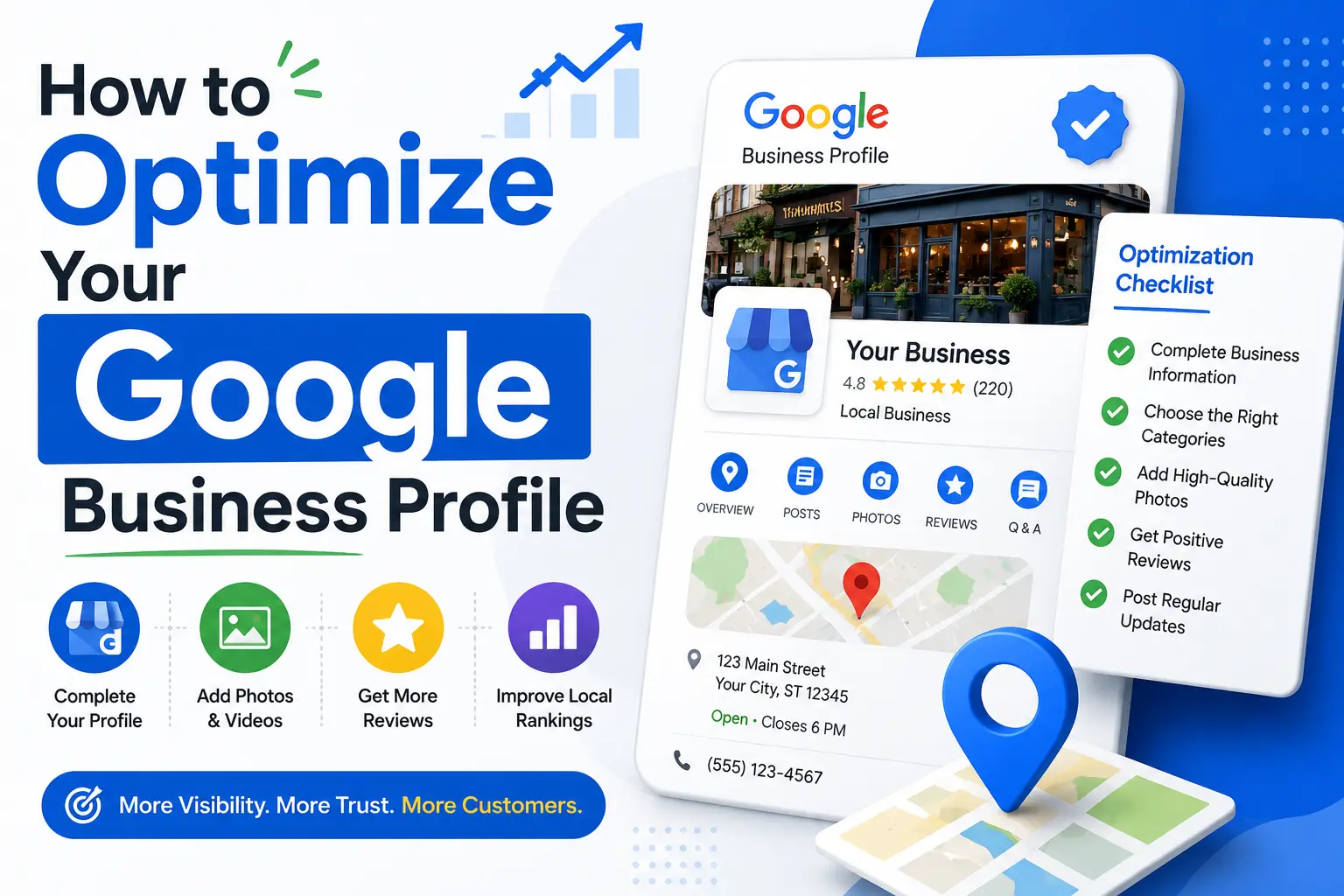
If you run a local business, your Google Business Profile is often the very first thing a potential customer sees about you — before your website, before your social media, sometimes even before they’ve heard your business name from a friend. That’s exactly why google business profile optimization has become one of the most important, and most overlooked, parts of local marketing today.
Whether you’re a plumber, a dentist, a boutique clothing store, or a law firm, the way your listing shows up on Google Search and Google Maps directly influences whether someone calls you, visits your store, or scrolls right past you to a competitor. Done right, google business profile optimization can put you inside the coveted “local 3-pack” — the top three map results that appear above the regular organic listings. Done poorly, or not at all, and you’re invisible to a huge share of people searching for exactly what you offer.
In this guide, we’ll walk through everything that goes into proper google business profile optimization — from claiming and verifying your listing, to writing a keyword-rich business description, to managing reviews, posts, photos, and more. By the end, you’ll have a clear, actionable roadmap for turning your profile into a genuine lead-generation asset. If you want a broader look at how this fits into your overall strategy, our complete local SEO guide covers the bigger picture beyond just your Google listing.
What Is a Google Business Profile?
A Google Business Profile (formerly known as Google My Business) is a free listing that lets businesses manage how they appear across Google Search and Google Maps. It displays your business name, address, phone number, hours, photos, reviews, and more, directly in the search results — no click-through required. Because it sits right at the top of local search results, google business profile optimization has a disproportionate impact on visibility compared to almost any other SEO tactic available to small businesses.
Unlike your website, which competes in the regular “blue link” results, your Business Profile competes in the map pack and knowledge panel — a completely separate, and often more visible, area of the search results page.
Think of it this way: your website is a destination people have to actively navigate to, while your Business Profile is often the destination itself. Someone searching “24 hour vet near me” might get everything they need — hours, directions, phone number, reviews — without ever clicking through to a website at all. That reality is exactly why treating your profile as an afterthought is a costly mistake, and why so many local businesses are now investing real time into a proper google business profile optimization process rather than filling in a few fields and moving on.
The profile itself is powered by a mix of information you control (business details, photos, posts) and information you don’t (reviews, popular times, user-uploaded photos). A thoughtful approach to google business profile optimization focuses heavily on the levers you can control, while actively managing the ones you can influence, like reviews and Q&A.
Why Google Business Profile Optimization Matters
Search behavior has shifted dramatically toward “near me” and location-based queries. People searching “coffee shop near me” or “emergency locksmith [city]” aren’t browsing — they’re ready to buy, book, or visit within the hour. This is precisely why google business profile optimization deserves serious attention rather than a five-minute setup and forget-it approach.
Here’s what a well-optimized profile can do for your business:
- Increase visibility in the local 3-pack and Google Maps
- Build trust through reviews, photos, and complete business information
- Drive direct actions like calls, direction requests, and website clicks
- Improve your organic rankings, since Google factors profile signals into local search algorithms
- Level the playing field against bigger competitors with larger ad budgets
Because the local map pack often outperforms paid ads in click-through rate, google business profile optimization is one of the highest-ROI activities a local business can invest time in — and it’s completely free to do.
Google Business Profile Optimization and Local Ranking Factors
Google has never published its exact local ranking algorithm, but industry research and Google’s own public statements consistently point to three broad pillars: relevance, distance, and prominence. Understanding these pillars helps explain why certain steps matter more than others in a google business profile optimization plan.
- Relevance measures how well your profile matches what someone searched for. This is where accurate categories, a clear business description, and detailed product or service listings come into play.
- Distance measures how far your business is from the searcher (or the location implied in their search). You can’t change your physical address to chase rankings, but you can make sure your address and service areas are set up correctly.
- Prominence reflects how well-known and well-reviewed your business is, both on and off Google — including review volume, review quality, and citations from other websites.
A well-rounded google business profile optimization strategy touches all three pillars rather than fixating on just one. Businesses that only chase reviews while ignoring categories, or that perfect their description but never post updates, tend to plateau well below their potential ranking position.
Step 1: Claim and Verify Your Profile
Before any google business profile optimization can happen, you need to actually own the listing. Search for your business name on Google. If a profile already exists (sometimes auto-generated by Google), claim it. If not, create one at Google Business Profile Manager.
Verification usually happens by postcard, phone, email, or video, depending on your business type and location. Postcard verification typically takes five to fourteen days to arrive, so if you’re planning a launch date, factor that lead time in early. Some business categories — particularly service-area businesses without a public-facing storefront — may go through additional verification steps to confirm legitimacy and prevent spam listings, which have historically been a problem in competitive local categories like moving companies and locksmiths.
Skipping verification means you can’t edit your listing, respond to reviews, or post updates — so this is a non-negotiable first step in any google business profile optimization plan. If you’ve inherited a business from a previous owner or agency, check first whether an existing verified profile is already tied to an old email account; requesting ownership transfer is usually faster than trying to create a duplicate listing from scratch.
Step 2: Complete Every Section of Your Profile
Google rewards completeness. An unfinished profile signals low effort, and Google’s algorithm — along with your customers — notices. Full google business profile optimization means filling in:
- Business name (exactly as it appears on your signage — no keyword stuffing)
- Complete, accurate address
- Local phone number (not a call center or toll-free number, if avoidable)
- Website URL
- Accurate business hours, including holiday hours
- Service area, if you serve customers rather than a fixed location
Every one of these fields plays a role in how Google matches your listing to relevant local searches, so treat this stage of google business profile optimization as foundational, not optional.
Step 3: Choose the Right Categories
Category selection is one of the most underrated levers in google business profile optimization. Your primary category should describe exactly what your business is — “Italian Restaurant” rather than the vaguer “Restaurant,” for example. You can also add secondary categories to capture additional relevant searches.
Choosing overly broad or inaccurate categories dilutes your relevance signals and can actually hurt your rankings. Spend time researching what categories your top-ranking local competitors use — this single adjustment is often the fastest win in google business profile optimization for businesses that have been stuck ranking poorly.
Step 4: Write an SEO-Friendly Business Description
Your business description is a 750-character opportunity to explain who you are, what you offer, and why customers should choose you — and it’s a genuine part of google business profile optimization that many owners skip entirely.
Best practices for this section include:
- Mentioning your core services and location naturally (avoid keyword stuffing)
- Highlighting what makes you different from competitors
- Writing in a clear, conversational tone rather than corporate jargon
- Avoiding promotional language like discounts or calls-to-action, which violates Google’s guidelines
A strong description supports google business profile optimization by giving both Google and potential customers a fast, accurate understanding of your business.
Step 5: Add High-Quality Photos and Videos
Profiles with photos receive significantly more direction requests and website clicks than those without. Photos are a visual trust signal, and they’re a core pillar of effective google business profile optimization.
Include:
- Exterior shots so customers can recognize your storefront
- Interior shots showing atmosphere and layout
- Team photos to build a human connection
- Product or service photos
- A logo and cover photo that match your branding
Upload new photos regularly — Google favors profiles that stay active, which ties directly back into ongoing google business profile optimization rather than a one-time setup.
A few practical tips: shoot photos in landscape orientation where possible, avoid heavy filters or stock imagery, and update seasonal photos (holiday displays, patio seating in summer) to keep the listing feeling current. Businesses in categories like restaurants, salons, and hotels tend to see the biggest lift from strong visual content, since customers in these categories are especially influenced by what they see before they ever walk in the door. Video, while optional, adds another layer of authenticity — a short walkthrough of your space or a quick introduction from your team can help build familiarity before a customer even makes contact.
Step 6: Use Google Posts Regularly
Google Posts function similarly to social media updates and appear directly on your profile. They’re an often-ignored tool in google business profile optimization, yet they offer a direct way to promote offers, events, new products, or blog content.
Posting consistently — ideally weekly — signals to Google that your business is active and engaged, which can positively influence your local rankings. Each post is also a chance to link back to relevant pages on your site, such as a seasonal promotions page , tying your Business Profile activity into your broader content strategy.
Step 7: Collect and Respond to Reviews
Reviews are arguably the single most influential factor in google business profile optimization after basic profile completeness. They affect both rankings and consumer trust — the vast majority of shoppers read reviews before choosing a local business.
To strengthen this part of your google business profile optimization strategy:
- Ask satisfied customers directly for reviews (in person, via email, or text)
- Make it easy with a direct review link
- Respond to every review, positive or negative, professionally and promptly
- Never buy fake reviews — Google actively removes them and can suspend your listing
Review responses aren’t just customer service; they’re a visible, ongoing demonstration of google business profile optimization in action, since Google can factor engagement into ranking signals.
When responding to negative feedback, resist the urge to get defensive. Acknowledge the concern, briefly explain what happened if appropriate, and invite the customer to continue the conversation offline through phone or email. Prospective customers reading the exchange are often more influenced by how a business handles criticism than by the negative review itself. On the positive side, personalize your responses rather than copy-pasting the same generic thank-you — mentioning specific details from the review (a staff member’s name, a particular service) shows genuine attentiveness and reinforces the human side of your brand.
Step 8: Use the Q&A Section
The Questions & Answers section lets anyone ask (and anyone answer) questions about your business publicly. Left unmanaged, this section can accumulate outdated or incorrect answers from strangers. Proactive google business profile optimization includes seeding this section yourself with common questions — parking availability, appointment requirements, accepted payment methods — and answering new questions as they come in.
Step 9: Add Products and Services
If your Business Profile category supports it, add specific products or services with names, descriptions, prices, and photos. This turns your profile into a mini storefront and is a frequently underused part of google business profile optimization.
Detailed service listings also give Google more contextual information to match your profile with specific, longer-tail local searches — a meaningful boost for businesses competing in crowded categories.
Step 10: Enable Messaging
Turning on messaging lets potential customers contact you directly from your profile without a phone call, which many people prefer. Fast response times to messages contribute to a positive customer experience and reinforce the trust-building side of google business profile optimization.
Google Business Profile Optimization for Service-Area Businesses
Not every business operates from a storefront customers walk into. Plumbers, electricians, cleaning services, and mobile pet groomers typically serve customers at their homes or offices rather than the other way around. For these businesses, google business profile optimization looks slightly different: you’ll hide your exact address from public view and instead define a service area — a set of cities, zip codes, or a radius around your base location.
Getting the service area right matters more than most owners realize. Setting it too broad (an entire state, for example) dilutes relevance and can actually hurt your visibility for the specific towns where you do most of your work. A tighter, more accurate service area tends to perform better in local rankings, because it aligns more closely with how Google evaluates relevance and distance for a given search.
How to Track the Results of Your Google Business Profile Optimization
Optimization without measurement is just guesswork. The Performance (formerly Insights) tab inside Google Business Profile Manager shows how customers are finding and interacting with your listing, including:
- How many people viewed your profile on Search versus Maps
- The specific search queries that led to your profile appearing
- Actions taken: website clicks, calls, direction requests, and message sends
- Photo views compared to your competitors’ average
Reviewing this data monthly lets you connect specific changes — a new category, a fresh batch of photos, a run of weekly posts — to measurable shifts in visibility and engagement. Over time, this turns google business profile optimization from a one-off checklist into a data-informed, repeatable process you can refine quarter over quarter.
Common Mistakes That Undermine Google Business Profile Optimization
Even well-intentioned business owners make errors that quietly sabotage their rankings. Watch out for:
- Inconsistent NAP (Name, Address, Phone) data across your website and directories — inconsistency confuses Google and weakens local ranking signals
- Keyword stuffing your business name (e.g., “Joe’s Plumbing — Best Plumber in [City]”) — this violates Google’s guidelines and can get your listing suspended
- Ignoring negative reviews instead of responding constructively
- Letting the profile go stale with outdated hours, old photos, or no recent posts
- Choosing the wrong categories out of guesswork rather than research
- Duplicate listings for the same location, which split your reviews and confuse both Google and customers
Avoiding these pitfalls is just as important to google business profile optimization as actively adding new content.
Tools to Help With Google Business Profile Optimization
A few tools can make ongoing management easier:
- Google Business Profile Manager — the native dashboard for edits, insights, and messaging
- Google Search Console — to monitor how your website performs alongside your profile
- Review management platforms — to centralize responses across multiple locations
- Local rank trackers — to measure map pack visibility over time for target keywords
For businesses managing multiple locations, dedicated software can streamline google business profile optimization across dozens or even hundreds of listings simultaneously, which would be unmanageable manually. Bulk location management tools typically let you push category updates, hours changes, or new photos across every listing at once, while still allowing individual locations to keep their own reviews, local posts, and Q&A threads. This balance of centralized control and local flexibility is especially valuable for franchises, multi-branch clinics, and regional retail chains, where consistency across locations matters just as much as relevance within each individual market.
It’s also worth noting that free tools go a long way here. Google’s own Performance dashboard, paired with a simple spreadsheet to log review requests and response times, is often enough for a single-location business to stay on top of things without paying for a dedicated platform. Reserve the paid tools for when you’re managing enough locations that manual tracking genuinely becomes a bottleneck.
A Quick Google Business Profile Optimization Checklist
- Profile claimed and verified
- Business name matches signage exactly
- Address and phone number accurate and consistent
- Hours updated, including holidays
- Primary and secondary categories reviewed
- Description written naturally, without stuffing
- At least 10 high-quality photos uploaded
- Weekly Google Posts scheduled
- Review request process in place
- Q&A section seeded and monitored
- Products/services listed with details
- Messaging enabled and monitored
Working through this list methodically is the most reliable way to approach google business profile optimization without missing a step that could be holding your rankings back.
Frequently Asked Questions
How long does google business profile optimization take to show results? Most businesses start noticing improved visibility within 4–8 weeks, though competitive markets can take longer. Consistency matters more than speed — ongoing google business profile optimization compounds over time.
Is Google Business Profile the same as Google My Business? Yes. Google rebranded Google My Business as Google Business Profile in 2021, but the core functionality behind google business profile optimization remains largely the same.
Does google business profile optimization cost money? No — creating, verifying, and optimizing your profile is entirely free. Paid tools can help manage the process at scale, but they aren’t required to get started.
Can I do google business profile optimization myself, or do I need an agency? Small businesses can absolutely manage this in-house by following the steps above. Larger businesses or those with multiple locations often benefit from professional help to maintain consistency at scale. For a deeper technical breakdown of ranking factors, this external guide on local search ranking signals is a useful reference.
What’s the biggest mistake businesses make with their profile? Setting it up once and never returning. Google Business Profile is not “set and forget” — the businesses that see the strongest results treat google business profile optimization as an ongoing habit, not a one-time task.
How often should I update my profile as part of google business profile optimization? Aim to post weekly, upload new photos monthly, and do a full audit of your business information — hours, categories, description, and service areas — at least once per quarter. Frequent, small updates tend to outperform occasional large overhauls.
Does responding to reviews really affect google business profile optimization results? Yes. Beyond the trust it builds with future customers reading your responses, consistent engagement signals to Google that the business is active and attentive, which supports the prominence factor in local rankings.
Final Thoughts
Google Business Profile has quietly become one of the most powerful, and most accessible, marketing tools available to local businesses. Every category you refine, every photo you upload, every review you respond to, and every post you publish is a small but meaningful step in your broader google business profile optimization strategy.
The businesses that consistently show up in the local 3-pack aren’t necessarily the biggest — they’re usually the ones that treat their profile as a living, evolving asset rather than a static directory listing. Start with the fundamentals — claiming, verifying, and completing every section — then build outward into reviews, posts, and photos.
If you’re ready to go further, check out our related guide on https://iffaris.com/seo-basics/what-is-seo/ for a step-by-step plan that extends well beyond your Google listing alone.