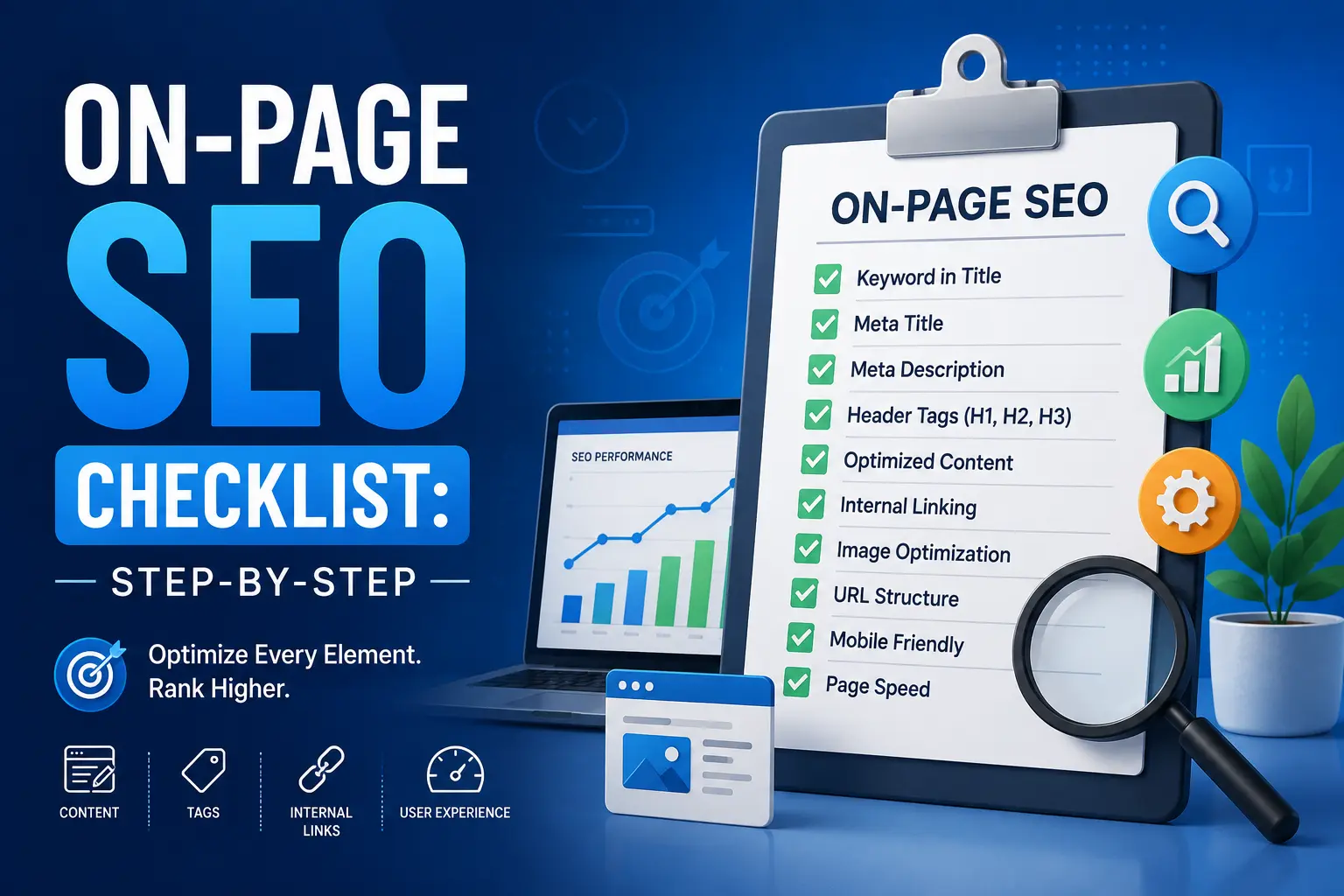
If you publish content but never rank, the problem usually isn’t your writing — it’s your process. Many site owners write great articles, hit publish, and then wonder why traffic never shows up. In almost every case, the real issue is that a handful of small, fixable on-page elements were never addressed. A reliable on page seo checklist turns that guesswork into a repeatable system you can run on every post, every time, so nothing important gets left to chance.
In this guide, you’ll get a complete, step-by-step checklist you can use on any blog post, landing page, product page, or service page, whether you’re just starting out or refining an existing site that’s been live for years. We’ll cover everything from keyword placement and header structure to page speed, internal linking, and schema markup — the full range of factors search engines look at when deciding how (and whether) to rank a page.
Unlike off-page SEO — which depends on backlinks, brand mentions, and signals from other websites you don’t directly control — on-page SEO is entirely within your hands. Every item on this checklist is something you can fix today, without waiting on outreach campaigns, guest posts, or anyone else’s cooperation. That’s what makes it such a high-leverage place to focus your time. Let’s break it down section by section, starting with the fundamentals.
What Is On-Page SEO?
On-page SEO refers to everything you optimize directly on a web page to help it rank higher and earn more relevant, qualified traffic from search engines. This includes your title tags, headings, content structure, internal links, images, and technical elements like URL slugs, canonical tags, and schema markup. Search engines like Google crawl these signals to understand what your page is about, how trustworthy and well-organized it is, and how well it answers the query a searcher typed in.
It’s worth distinguishing on-page SEO from two related disciplines it’s often confused with:
- Technical SEO deals with crawlability and indexing at the site level — things like XML sitemaps, robots.txt rules, site architecture, and server response times.
- Off-page SEO deals with signals that happen away from your site, primarily backlinks, brand mentions, and social proof.
- On-page SEO, by contrast, is everything you control directly on the page itself — and it’s the layer most site owners can improve the fastest.
A solid on-page SEO checklist covers three broad areas:
- Content signals — keyword usage, readability, depth, and topical relevance to the searcher’s intent.
- HTML elements — title tags, meta descriptions, header tags, and image alt text.
- User experience signals — page speed, mobile-friendliness, internal navigation, and how easy the page is to scan.
When all three are aligned, your page has a far better chance of ranking, earning clicks, and keeping visitors engaged once they arrive — and that’s exactly what a structured, repeatable checklist is designed to achieve.
Why You Need an On-Page SEO Checklist
Without a checklist, it’s easy to publish a page and forget a critical step — like adding alt text, fixing your meta description, or linking internally to related content. A repeatable on page seo checklist removes that risk. It also helps teams stay consistent: whether you’re writing the post yourself or handing it to a freelance writer, the same on page seo checklist ensures nothing falls through the cracks.
Here’s what a missed step usually costs you:
- Lower click-through rate from search results (weak title or meta description)
- Poor crawlability (missing internal links or broken URL structure)
- Lower rankings for your target keyword (thin or unfocused content)
- Higher bounce rate (slow page speed, bad mobile experience)
Running through your on page seo checklist before hitting publish catches these issues before they hurt your rankings.
The Complete On-Page SEO Checklist
Below is the full on page seo checklist, broken into actionable steps. Work through each one in order for the best results.
1. Do Proper Keyword Research First
Every effective on page seo checklist starts before you write a single word. Identify your primary keyword, a handful of secondary keywords, and related terms searchers actually use. Tools like Google Keyword Planner, Ahrefs, or Ubersuggest can help you find search volume and competition data.
- Choose one primary keyword per page.
- Group 3–5 related secondary keywords.
- Check search intent (informational, transactional, navigational) before writing.
Skipping this step is the most common reason an otherwise well-written page never ranks — it simply isn’t targeting what people search for. Before you move to any other item on your on page seo checklist, confirm that your primary keyword has real search demand and that you can realistically compete for it given your site’s current authority.
A quick way to validate a keyword: search it yourself and look at the top 10 results. If they’re all large, established sites with hundreds of backlinks, that keyword may be too competitive for a new page. Look instead for long-tail variations with clear intent and lighter competition — these are often the fastest wins early on.
2. Optimize Your Title Tag
Your title tag is one of the strongest ranking signals in any on page seo checklist. Keep it under 60 characters, place your primary keyword near the beginning, and make it compelling enough to earn clicks in search results.
Example: instead of “SEO Tips for Beginners,” try “On-Page SEO Checklist: 15 Steps to Rank Higher.” Getting this single element right is often the highest-leverage step in the entire on page seo checklist, since it’s the first thing both search engines and searchers actually see.
3. Write a Compelling Meta Description
While meta descriptions aren’t a direct ranking factor, they heavily influence click-through rate, which indirectly affects rankings. Keep descriptions between 140–160 characters, include your target keyword naturally, and add a clear reason to click. This step is small but easy to forget, which is exactly why it earns its own line on the on page seo checklist.
4. Use a Clean, Keyword-Rich URL
Short, descriptive URLs perform better both for users and search engines. A step often overlooked in a rushed on page seo checklist is trimming unnecessary words from the slug.
- Good:
/on-page-seo-checklist/ - Avoid:
/blog/2026/03/my-thoughts-on-page-one-seo-checklist-guide/
Whenever possible, work your primary keyword into the slug itself — it’s one of the simplest wins on the whole on page seo checklist.
5. Structure Content With Header Tags
Use one H1 per page (usually your title), then organize the body with H2 and H3 subheadings. This makes your content scannable for readers and easier for search engines to parse. A well-structured page is a core requirement of any thorough on page seo checklist, since headers signal topic hierarchy to crawlers.
6. Place Your Primary Keyword Strategically
Include your main keyword in:
- The title tag
- The first 100 words of the content
- At least one H2 subheading
- The meta description
- Naturally throughout the body (avoid stuffing)
This is the heart of any on page seo checklist — keyword placement tells search engines exactly what the page is about without tricking the algorithm through repetition.
7. Watch Your Keyword Density
Aim to keep keyword density reasonable — generally under 1.5–2% of total word count. Overusing your target phrase can trigger spam filters and hurt readability. A smart on page seo checklist always balances keyword visibility with natural, human-friendly writing.
8. Write for Readability
Break up long paragraphs, use bullet points, and keep sentences concise. Tools like Hemingway Editor or the Yoast readability score can help. Readability isn’t just a nice-to-have — it’s directly tied to time-on-page, which search engines use as a quality signal, and it’s a step worth double-checking on your on page seo checklist even when you’re confident in your writing.
9. Optimize Images
Every image should have a descriptive, keyword-relevant alt text, a compressed file size, and a descriptive filename (e.g., on-page-seo-checklist-diagram.jpg instead of IMG_2031.jpg). Image optimization is a frequently skipped item in a basic on page seo checklist, yet it directly affects page speed and accessibility.
10. Add Internal Links
Internal linking helps search engines discover and understand the relationship between your pages, while also keeping readers on your site longer. For example, if you’re writing about technical SEO topics, you might link out to a related guide like this one on iffaris.com, where you can explore more in-depth SEO resources. Every strong on page seo checklist treats internal linking as non-negotiable, not an afterthought.
A few internal linking rules to follow:
- Link to relevant, topically related pages only.
- Use descriptive anchor text (avoid “click here”).
- Don’t overdo it — 2–5 contextual internal links per 1,000 words is a good rule of thumb.
11. Add Relevant External Links
Linking out to authoritative, relevant resources builds trust with both readers and search engines. For instance, when discussing broader market or trading-related topics, a resource like tradescalehub.com can add credibility if it’s genuinely relevant to your niche. External links should always open value for the reader, not just serve as a formality — this is a step many rushed on-page SEO checklists skip entirely.
12. Improve Page Speed
Google has confirmed page speed is a ranking factor, particularly for mobile search, and Core Web Vitals now play a direct role in how pages are evaluated. Compress images, enable browser caching, minify CSS and JS files, remove unused plugins or scripts, and consider a content delivery network (CDN) if your audience is spread across regions. Run your page through Google PageSpeed Insights to identify specific bottlenecks, then re-test after each fix to confirm measurable improvement.
Slow pages don’t just rank worse — they also lose visitors before the content even loads. A one-second delay in load time can noticeably increase bounce rate, which undermines every other item on your on page seo checklist, no matter how well-optimized the content itself is.
13. Ensure Mobile-Friendliness
With mobile-first indexing, Google primarily uses the mobile version of your page for ranking and indexing purposes. Every item on your checklist should be tested on a mobile viewport — from font size to tap target spacing to image scaling and menu usability. Use Google’s Mobile-Friendly Test tool to catch issues like text that’s too small to read or buttons placed too close together, both of which can hurt user experience scores even if your desktop version looks flawless.
14. Add Schema Markup
Structured data (schema.org markup) helps search engines understand your content better and can unlock rich results like star ratings, FAQs, product prices, or breadcrumbs directly in the search results. Common schema types worth adding include Article, FAQPage, Product, Review, and BreadcrumbList, depending on the page. You can add this markup manually with JSON-LD or through a plugin if you’re on WordPress. While technical, adding schema is a high-impact step that separates a basic checklist from an advanced one — it’s often the difference between a plain blue link and a rich result that stands out in search results.
15. Set Canonical Tags
If similar content exists on multiple URLs, a canonical tag tells search engines which version to index, avoiding duplicate content issues. This is especially important for e-commerce sites or blogs with tag/category pages, and it’s an easy item to overlook if canonical tags aren’t a standing line item on your on page seo checklist.
16. Optimize for Featured Snippets
Structure part of your content — like a numbered list, definition, or short paragraph directly answering a question — to increase your odds of winning a featured snippet. This is an advanced but increasingly important part of any modern on page seo checklist.
17. Add Social Sharing Meta Tags
Open Graph and Twitter Card tags control how your page appears when shared on social media. While not a direct ranking factor, they influence click-through and shares, which indirectly support SEO performance.
18. Match Content Length to Search Intent
There’s no universal “ideal” word count, no matter what generic advice you’ve read elsewhere. Instead, analyze what’s currently ranking for your target keyword and aim to match or exceed the depth — not just the length — of those pages. A 600-word page can outrank a 3,000-word page if it answers the query more directly and with less fluff. A thorough checklist always prioritizes comprehensiveness and relevance over arbitrary word counts, since padding content just to hit a number tends to hurt readability and engagement rather than help rankings.
19. Review and Update Old Content
On-page SEO isn’t a one-time task. Revisit older posts every few months, update outdated statistics, refresh internal links, and re-optimize based on new keyword opportunities. Treating your on page seo checklist as a recurring process — not a one-time launch task — is what separates sites that maintain rankings from sites that slowly decline.
Applying the Checklist to Different Page Types
Not every page on your site serves the same purpose, so it’s worth adjusting how you apply this checklist depending on what you’re optimizing.
Blog posts and articles. These pages benefit most from depth, internal linking, and strong header structure. Since informational content competes on comprehensiveness, spend extra time on keyword research and matching search intent before you write.
Product and service pages. Here, conversion-focused elements matter alongside SEO — clear headings, trust signals, and fast load times all play a bigger role. Keep the copy focused on benefits and specifications while still following the same core steps: optimized title tag, clean URL, and relevant internal links to related products or categories.
Category and landing pages. These often have thinner content but higher commercial intent. Add a short, keyword-relevant introduction above the fold, use canonical tags carefully to avoid duplicate content across filtered or sorted views, and make sure the page links internally to both parent and child categories.
Local business pages. Include your city or service area naturally in the title tag and headers, add schema markup for local business information, and make sure your NAP (name, address, phone number) is consistent across the page and your site footer.
Regardless of page type, the underlying checklist stays the same — you’re simply weighting certain steps more heavily depending on the page’s purpose.
A Simple Before-and-After Example
To see how this works in practice, imagine a page targeting “best running shoes for beginners” that currently isn’t ranking.
Before:
- Title tag: “Shoes We Like”
- URL:
/blog/post-4471/ - No H2 or H3 subheadings, just one long block of text
- No internal links
- Images uploaded straight from a camera with filenames like
IMG_0234.jpg
After running it through an on-page SEO checklist:
- Title tag: “Best Running Shoes for Beginners (2026 Guide)”
- URL:
/best-running-shoes-for-beginners/ - Content broken into H2 sections like “How to Choose,” “Top Picks,” and “FAQs”
- Two to three internal links to related buying guides
- Images renamed and compressed, with descriptive alt text added
None of these changes require new content ideas or outside help — they’re pure execution of the checklist. That’s the real value of working through one systematically instead of relying on memory.
On-Page SEO Checklist: Quick Summary
Here’s the condensed version of the on page seo checklist you can use as a pre-publish audit:
- Primary keyword identified with clear search intent
- Keyword placed in title tag, URL, and first 100 words
- Meta description written (140–160 characters)
- Proper H1/H2/H3 structure
- Keyword density under 1.7%
- Images compressed with descriptive alt text
- 2–5 relevant internal links added
- At least one authoritative external link added
- Page speed tested and optimized
- Mobile-friendliness confirmed
- Schema markup added where relevant
- Canonical tag set correctly
- Content matches or exceeds top-ranking competitors
Running through this on page seo checklist before every publish keeps your site consistent and audit-ready. Print it, save it as a template in your content calendar, or turn it into a checklist inside your CMS — however you use it, the goal is to make sure no page goes live without passing through the same set of checks. Teams that adopt this habit consistently spend less time firefighting ranking drops later, because most issues get caught before publication rather than months afterward during a painful audit.
Why On-Page SEO Still Matters in 2026
Search has changed a lot over the past few years, with AI-generated overviews, voice search, and zero-click results all reshaping how people find information. It’s tempting to assume on-page fundamentals matter less in this environment, but the opposite is true. AI-driven search features still pull directly from well-structured, clearly written pages — the same pages that a solid on page seo checklist is designed to produce. Clear headings, direct answers near the top of the page, and clean semantic structure make it easier for both traditional crawlers and AI summarization systems to understand and surface your content.
In other words, the habits this checklist builds — clarity, structure, relevance, and technical cleanliness — aren’t just good for classic blue-link rankings. They’re increasingly what determines whether your content gets cited, quoted, or surfaced at all in newer search experiences.
Common On-Page SEO Mistakes to Avoid
Even with a solid on page seo checklist, a few mistakes keep showing up:
- Keyword stuffing — repeating your target phrase unnaturally hurts readability and can trigger algorithmic penalties.
- Duplicate title tags across multiple pages, which confuses search engines about which page to rank.
- Ignoring internal linking, leaving new content orphaned with no path for crawlers or readers to find it.
- Skipping alt text, which hurts both accessibility and image search visibility.
- Publishing without a mobile check, since most search traffic now comes from mobile devices.
Avoiding these mistakes is just as important as following the checklist itself — a checklist only works if you don’t undo it with careless habits elsewhere on the page. Here are a few additional pitfalls worth watching for:
- Thin content that doesn’t fully answer the query, forcing searchers to bounce back and try another result — a strong negative signal over time.
- Broken internal links left behind after restructuring a site or renaming URLs without setting up redirects.
- Overloading a page with too many keywords, which can dilute focus and confuse search engines about the page’s actual topic.
- Forgetting to update the meta description after a content refresh, leaving it out of sync with what the page now covers.
Tools to Help You Run Your On-Page SEO Checklist
You don’t have to do this manually every time. These tools can automate large parts of the process:
- Yoast SEO / Rank Math — real-time on-page analysis for WordPress, including readability and keyword checks directly in your editor.
- Google Search Console — monitor indexing status, clicks, impressions, and which queries are already bringing traffic to a page.
- Screaming Frog — crawl your entire site to catch missing title tags, broken links, or duplicate meta descriptions at scale.
- Google PageSpeed Insights — diagnose specific speed issues, from render-blocking scripts to oversized images.
- Ahrefs / SEMrush — keyword research, competitor content gap analysis, and rank tracking over time.
- Hemingway Editor — quick readability scoring so you can simplify dense paragraphs before publishing.
Even with these tools, a manual review before publishing is still worth the extra five minutes — automated tools catch technical issues, but they won’t tell you if your content genuinely answers the searcher’s question. Treat software as a support system for your checklist, not a replacement for it.
Final Thoughts
SEO can feel overwhelming when you try to think about everything at once. That’s exactly why a structured on page seo checklist is so valuable — it breaks a complex process into simple, repeatable steps you can apply to every page you publish. Start with keyword research, build out your on-page elements methodically, and treat your on page seo checklist as a living document you refine as search algorithms evolve.
Bookmark this guide, run through the on page seo checklist before your next publish, and revisit your older content with the same checklist to catch quick wins you may have missed the first time around.
Frequently Asked Questions
Q: How often should I use an on page seo checklist? A: Use it every time you publish new content, and revisit older posts with the same on page seo checklist every 3–6 months to keep them competitive.
Q: Is on-page SEO more important than off-page SEO? A: Both matter, but on-page SEO is where you have full control. A strong on page seo checklist lays the foundation that makes off-page efforts like link building more effective.
Q: What’s the biggest mistake people make with on-page SEO? A: Skipping keyword research and internal linking are the two most common gaps in an incomplete on-page SEO checklist.
Q: Do I need to follow every step for every single page? A: Not necessarily. Weight the steps based on page type — a product page leans more on speed and trust signals, while a blog post leans more on depth and internal linking — but the core structure of the checklist still applies across the board.
Q: Can I use the same on page seo checklist for an existing website and a brand-new one? A: Yes. New sites benefit from applying the checklist at launch, while established sites should revisit it periodically as an audit tool to catch drift — outdated content, broken links, or missed optimization opportunities that crept in over time.