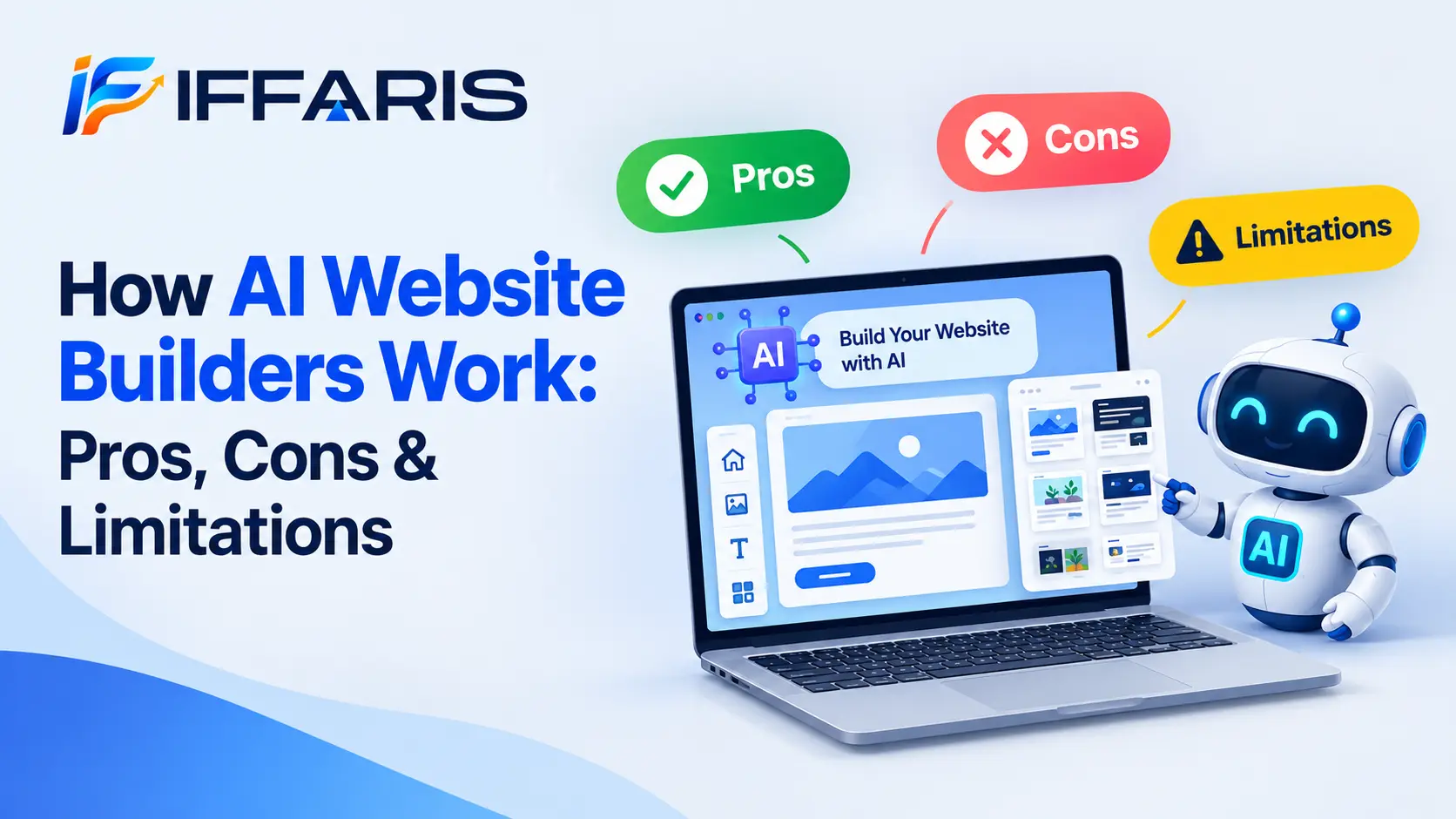
Building a website used to mean hiring a developer, learning to code, or wrestling with a clunky drag-and-drop editor for weeks. Today, a new generation of tools has changed that story completely. AI website builders let anyone type a short description of their business and watch a fully designed, functional website appear in minutes. But how do these tools actually work, and are they really as good as the marketing pages claim?
In this guide, we will break down exactly how these platforms work under the hood, walk through their genuine advantages, and give you an honest look at the limitations that most reviews conveniently skip. By the end, you will know whether AI website builders are the right fit for your project, or whether a more traditional approach still makes sense.
What Are AI Website Builders?
AI website builders are platforms that use artificial intelligence, machine learning, and natural language processing to automatically design, build, and often write content for a website based on minimal user input. Instead of manually dragging blocks onto a canvas, you answer a few questions, or simply describe your business in a sentence, and the AI website builder generates a layout, chooses a color palette, writes placeholder copy, and even suggests images.
Popular examples include tools like Wix ADI, Hostinger AI Website Builder, Durable, 10Web, and Framer AI. Each of these tools takes a slightly different approach, but the underlying goal is the same: reduce the time and skill required to launch a professional-looking site.
Unlike traditional website builders, which require you to make every design decision yourself, AI website builders make the first hundred decisions for you and then let you refine the result. This shift from “build from scratch” to “edit what the AI created” is the defining feature of AI website builders in 2026.
How AI Website Builders Actually Work
To understand whether such builders are worth using, it helps to understand the process happening behind the scenes. Most AI website builders follow a similar four-stage workflow.
Stage 1: Input Collection
Every AI website builder starts by gathering information about you and your business. This usually happens through a short questionnaire or a conversational chat interface. You might be asked your industry, your business name, the goal of the site (sell products, book appointments, showcase a portfolio), and your preferred style or tone. Some AI website builders now accept a single natural-language prompt, similar to how you would talk to a chatbot, and extract the same details automatically.
Stage 2: Content and Layout Generation
Once the AI website builder has your inputs, it uses machine learning models trained on thousands of existing websites to predict which layout, section order, and page structure will best match your industry. A restaurant site, for example, typically needs a menu section and a reservation button, while a photography portfolio needs a large image gallery. These platforms recognize these patterns and assemble a relevant page structure automatically.
At the same time, natural language generation models write draft copy for headlines, about sections, and calls to action. This is one of the most impressive parts of how AI website builders work, because the copy is usually tailored to your specific business description rather than being generic filler text.
Stage 3: Visual Design Selection
AI website builders also handle visual design decisions. They analyze your industry and any brand colors or logos you upload, then select a matching color scheme, typography pairing, and stock imagery or AI-generated graphics. Some advanced platforms can even generate custom images using built-in AI image generation, removing the need to search stock photo libraries entirely.
Stage 4: Optimization and Refinement
Finally, most AI website builders run a basic optimization pass. This can include compressing images for faster load times, adding mobile-responsive breakpoints, and inserting basic meta tags for search engines. After this automated stage, you are dropped into an editor where you can manually adjust anything the AI website builder produced, from moving sections to rewriting text.
Understanding this four-stage process explains both the strengths and the weaknesses of these platforms, which we will cover next.
The Pros of AI Website Builders
1. Dramatically Faster Launch Times
The single biggest reason people choose AI website builders is speed. What might take a freelancer several days, or a business owner several weekends, can be produced by an AI website builder in under ten minutes. For small businesses that need an online presence immediately, this speed advantage alone can justify using such builders over hiring a designer.
2. Lower Cost of Entry
Traditional web design projects can run into thousands of dollars. AI website builders typically operate on affordable monthly subscriptions, and many offer a free tier to test the generated design before committing. This makes AI website builders especially attractive to startups, solo entrepreneurs, and hobbyists who cannot justify a large upfront design budget.
3. No Coding or Design Skills Required
Because these platforms make the major structural and visual decisions automatically, users do not need any background in HTML, CSS, or graphic design. This democratization of web design is arguably the most significant contribution AI website builders have made to the small business world.
4. Built-In Content Generation
Writing website copy is often the most time-consuming part of launching a site. AI website builders solve this by generating first-draft headlines, service descriptions, and even blog outlines. While the copy usually needs human editing, having a starting point removes a major mental barrier for many users.
5. Consistent, Professional-Looking Design
Because these platforms are trained on large datasets of well-performing websites, the output tends to follow proven design conventions: clear navigation, readable typography, and logical section ordering. This means even a first-time user is unlikely to end up with a visually broken or confusing layout, something that was common with fully manual builders.
The Cons of AI Website Builders
No tool is perfect, and these platforms come with real trade-offs that are worth understanding before you commit.
1. Generic or “Templated” Feel
Because these tools pull from pattern libraries trained on thousands of similar sites, the output can feel formulaic, especially within the same industry. Two competing businesses using the same AI website builder may end up with strikingly similar layouts, which can hurt brand differentiation.
2. Limited Creative Control
While these tools are excellent at producing a solid starting point, they are not as flexible as fully custom development or even advanced no-code platforms. Highly specific design requests, unusual layouts, or complex interactive features often exceed what current tools can generate, forcing users to either compromise or bring in a developer anyway.
3. SEO Gaps That Need Manual Fixing
Many of these platforms claim to be “SEO optimized,” but in practice they only handle the basics, like adding a title tag or an alt attribute. Deeper technical SEO work, such as structured data, internal linking strategy, or crawl optimization, is usually left to the user. If you are relying on an AI website builder for organic traffic, you will likely still need to follow a proper on-page SEO checklist and review your technical setup manually.
4. Content Accuracy Issues
The AI-generated copy produced by these tools is a starting point, not a finished product. It can include inaccurate claims about your business, awkward phrasing, or generic statements that do not reflect your actual value proposition. Every page generated by an AI website builder should be proofread and fact-checked before publishing.
5. Platform Lock-In
Most of these tools are proprietary, closed platforms. This means your site is built using their specific system, and migrating to another platform later can be difficult or impossible without starting over. Before committing to an AI website builder long-term, it is worth considering whether you might outgrow the platform.
Key Limitations of AI Website Builders to Know Before You Start
Beyond the general pros and cons, there are a few specific limitations that tend to surprise new users.
Limited E-Commerce Depth
While many of these platforms now support basic online stores, they often lack the advanced inventory management, tax rules, and multi-currency support that dedicated e-commerce platforms provide. Businesses with complex product catalogs frequently find that these tools are a good starting point but not a permanent e-commerce solution.
Weak Handling of Niche Industries
These platforms are trained on common business categories: restaurants, salons, consultants, portfolios, and similar patterns. If your business falls outside these common molds, the AI-generated layout and copy may miss the mark, requiring significantly more manual editing than the marketing promises suggest.
Performance and Core Web Vitals Concerns
Because these tools automate image selection and page structure, they do not always optimize for page speed as well as a hand-coded site would. Bloated code, unnecessary scripts, and unoptimized images can hurt your Core Web Vitals scores, which in turn affects both user experience and search rankings. If speed is a priority, it is worth auditing your site’s performance after launch, since even a well-known platform in this category can leave easy speed wins on the table.
Dependence on Ongoing Subscriptions
Unlike a self-hosted WordPress site, most AI website builders require an active monthly or annual subscription to keep your site live. If you stop paying, your site typically goes offline. This recurring cost model is an important limitation to factor into your long-term budget when comparing these tools to traditional hosting.
Limited Backend Customization
Developers and advanced users often hit a ceiling with these tools because they restrict access to raw code, custom scripts, or third-party integrations beyond what the platform explicitly supports. If your project needs custom functionality, an AI website builder may not be flexible enough.
AI Website Builders vs Traditional Website Builders
It helps to compare AI website builders side by side with traditional drag-and-drop builders like classic Wix, Squarespace, or WordPress with a page builder plugin.
Traditional builders give you a blank canvas and full manual control from the first click. This means more time investment but also more precision. Such builders, on the other hand, front-load the decision-making, generating an entire site instantly, and then let you edit from there. For users who value speed and don’t have strong design opinions, AI website builders are usually the better choice. For users who need highly specific branding or unusual page structures, a traditional builder, or a fully custom build, may still be worth the extra effort.
It is also worth noting that this category is evolving quickly. Many platforms that started as traditional builders, including WordPress-adjacent tools, have added AI-assisted features, blurring the line between the two categories. If you’re curious how artificial intelligence is reshaping search and content strategy more broadly, our guide on AI and SEO covers how these two trends intersect.
Are AI Website Builders Good for SEO?
This is one of the most common questions about AI website builders, and the honest answer is: it depends on how much work you put in after the AI generates your site.
These platforms typically handle surface-level SEO tasks automatically, such as:
- Generating basic title tags and meta descriptions
- Adding alt text to images
- Creating a simple XML sitemap
- Ensuring mobile responsiveness
However, ranking well in search engines requires much more than these basics. You will still need to research and target the right keywords, structure your content around search intent, and build backlinks over time. Our detailed what is SEO guide explains the full picture of what goes into ranking a website, which applies whether you built your site manually or used one of today’s automated platforms.
If you plan to publish regular content on a site built with an AI website builder, it is also worth following a structured on-page SEO checklist to make sure each new page is fully optimized, since most of these tools will not do this work for you automatically after the initial setup.
Technical SEO is another area where these platforms often fall short. Things like robots.txt configuration, crawl budget, and site architecture matter more as your site grows. Reviewing our robots.txt SEO guide can help you understand what to check once your AI-generated site is live. Similarly, if your AI website builder is powering a WordPress-based site, our WordPress SEO resource walks through platform-specific optimization steps.
For businesses focused on local visibility, it also helps to pair your AI website builder output with a proper Google Business Profile strategy, since local search factors often carry more ranking weight than on-site elements alone for small, service-based businesses.
Page speed also deserves special attention. Since these tools sometimes generate heavier pages than necessary, reviewing your Core Web Vitals after launch is a smart step, along with checking general website speed SEO best practices to keep load times competitive. If you want to go deeper on structuring pages correctly, this on-page SEO resource offers additional context that complements what most platforms handle by default.
Who Should Use AI Website Builders?
AI website builders are a strong fit for:
- Solo entrepreneurs and freelancers who need a professional site quickly
- Small local businesses without a marketing budget for custom design
- Startups validating an idea before investing in a full custom build
- Non-technical users who want to avoid learning code entirely
- Anyone who needs a portfolio, landing page, or simple business site launched fast
AI website builders are less ideal for:
- Enterprises with complex, highly custom design requirements
- E-commerce businesses with large, complicated product catalogs
- Developers who need full control over code and integrations
- Brands that require a completely unique visual identity distinct from competitors
Tips for Getting the Best Results From AI Website Builders
If you decide to move forward with an AI website builder, a few practices will significantly improve your results.
First, be as specific as possible during the input stage. The more detail you give an AI website builder about your business, audience, and goals, the more relevant the generated design and copy will be. Vague inputs lead to generic output, which is one of the most common complaints about these tools.
Second, always treat the first draft as a starting point, not a finished product. Every AI website builder produces content that benefits from human editing, whether that means correcting factual details, adjusting the tone, or rewriting calls to action to match your actual voice.
Third, run a manual SEO and performance check after launch. Even the best AI website builders leave gaps in technical SEO, so a quick audit using tools like Google Search Console can catch indexing issues early. If you are new to Search Console, our guide on how to use Google Search Console is a helpful next step after your AI website builder generates your site.
Fourth, plan for content beyond the homepage. Most AI website builders focus heavily on the initial site structure but offer limited guidance for ongoing blog or content strategy. Building a consistent publishing habit, supported by solid link building strategies, will do more for your long-term visibility than any feature built into an AI website builder.
Finally, don’t assume the design is final. Most such builders allow you to regenerate sections or request alternative layouts if the first version does not feel right. Testing two or three variations before settling on a final design is a smart use of the flexibility that AI website builders provide.
The Future of AI Website Builders
AI website builders are improving rapidly, and the gap between AI-generated and custom-built sites continues to narrow. Newer these platforms are beginning to incorporate more advanced personalization, generating different layouts and content based on visitor behavior in real time. Others are integrating deeper AI copywriting tools capable of producing full blog posts, product descriptions, and email sequences alongside the website itself.
As artificial intelligence models continue to improve at understanding design principles and user intent, expect AI website builders to close the remaining gap in creative flexibility and SEO capability. For now, though, AI website builders remain best suited as a fast, affordable starting point rather than a complete replacement for strategic design and ongoing optimization work.
Common Myths About AI Website Builders
As adoption has grown, a few misconceptions about these tools have spread just as quickly as the technology itself. Clearing these up will help set realistic expectations.
Myth: AI website builders produce a finished, ready-to-publish site. In reality, the output is a strong first draft. Copy, imagery, and structure almost always benefit from a manual review pass before the site goes live.
Myth: AI website builders guarantee first-page Google rankings. No platform, automated or manual, can guarantee rankings. Such builders can set up the technical foundation, but ongoing keyword research, content publishing, and link building strategies still determine long-term search performance.
Myth: AI website builders are only for beginners. While ease of use is a major selling point, many freelancers and agencies now use AI website builders to speed up the first draft of client projects before customizing the design further, saving hours of manual setup work.
Myth: All AI website builders work the same way. In practice, the underlying models, template libraries, and editing flexibility vary significantly between platforms. Some prioritize speed, others prioritize design quality, and a few focus specifically on e-commerce. Comparing a few options before committing is worth the extra ten minutes.
Cost Breakdown: What AI Website Builders Actually Cost
Pricing is one of the more confusing aspects of shopping for AI website builders, since most platforms advertise a free plan that comes with significant restrictions. Typically, the free tier includes a subdomain (such as yourname.platform.com), limited storage, and a small builder-branded banner. To connect a custom domain, remove branding, and unlock e-commerce or advanced SEO features, most AI website builders require a paid plan, usually ranging from a few dollars to around thirty dollars per month depending on the feature set.
It is worth comparing this pricing against the cost of traditional hosting plus a one-time design fee. For a simple brochure site, these tools are almost always cheaper over the first year. For a business planning significant long-term growth, it is worth modeling out three to five years of subscription costs, since traditional self-hosted platforms can sometimes work out more economical over a longer horizon, even with a higher upfront design cost.
Frequently Asked Questions About AI Website Builders
Do AI website builders require any coding knowledge? No. The entire appeal of AI website builders is that they remove the need for HTML, CSS, or JavaScript knowledge. You describe your business, and the platform generates the code behind the scenes automatically.
Can I switch from an AI website builder to a custom-built site later? Yes, but it usually means rebuilding rather than migrating directly, since most such builders use proprietary systems that are not easily exported. It helps to plan your domain and content strategy with this eventual transition in mind from day one.
Are AI website builders secure? Most reputable AI website builders handle hosting, SSL certificates, and basic security patching automatically, which can actually make them safer than a self-managed site for non-technical users who might otherwise skip routine updates.
How long does it take to launch a site with an AI website builder? The initial generation typically takes just a few minutes. However, budgeting a few hours to a few days for editing, proofreading, and adding real content is realistic if you want a polished final result rather than a rough first draft.
Do AI website builders work well for blogs? Basic blogging functionality is usually included, but writers who plan to publish frequently may find the content management tools more limited than dedicated platforms. It is worth testing the blog editor specifically before committing if content marketing is a core part of your strategy.
Final Thoughts
AI website builders have fundamentally changed how quickly and affordably a website can go from idea to live launch. They excel at speed, affordability, and removing the technical barrier that once kept many small business owners from having any online presence at all. At the same time, AI website builders come with real limitations: generic design patterns, shallow SEO handling, limited customization, and ongoing subscription costs.
The right choice depends on your goals. If you need a professional site fast and don’t require deep customization, these tools are likely the most efficient path forward. If your project demands a highly unique brand experience, complex functionality, or enterprise-level scale, you may still be better served by a traditional build. Either way, understanding exactly how AI website builders work, along with their genuine pros, cons, and limitations, puts you in a much stronger position to make the right decision for your next website.