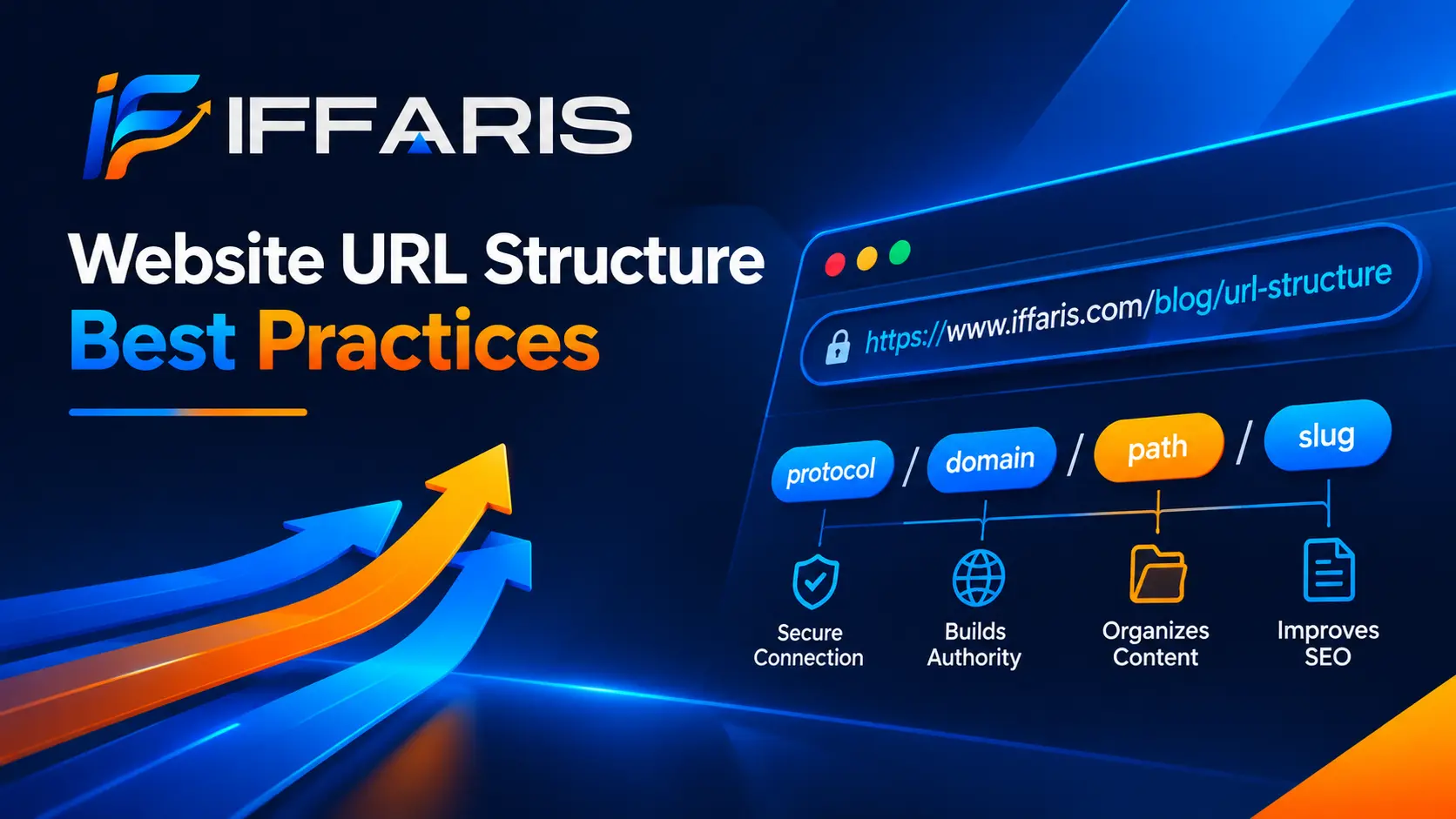
Every page on your site has an address, and the way that address is written matters far more than most site owners realize. A clean website URL structure helps visitors understand where they are, helps search engines understand how your pages relate to each other, and quietly supports every other SEO effort you invest in. A messy one does the opposite: it confuses crawlers, dilutes ranking signals, and makes your links look untrustworthy when they are shared in emails, chats, and social posts.
In this guide, you will learn exactly what a website URL structure is, why it affects rankings and usability, and which best practices to follow when planning, launching, or repairing one. We will cover URL anatomy, keywords, hierarchy, hyphens, lowercase rules, parameters, trailing slashes, redirects, and platform-specific tips for WordPress. Whether you are building a brand-new site or cleaning up an older one, a well-planned website URL structure will save you time, protect your rankings, and make future growth much easier to manage.
What Is a Website URL Structure?
A URL (Uniform Resource Locator) is the unique web address of a single page, image, or file. Your website URL structure is the system of rules you use to build all of those addresses so they follow one consistent, logical pattern. Instead of treating each address as an isolated decision, a good website URL structure treats the entire site as one organized library, where every page has a clear shelf and label.
Think of it like a postal address. A country, city, street, and house number tell a courier exactly where to go. In the same way, a thoughtful website URL structure tells people and search engines which section a page belongs to, what the page is about, and how it connects to the rest of the site. For example, example.com/seo-basics/keyword-research/ instantly communicates that the page sits inside an SEO basics section and covers keyword research.
Many beginners assume the website URL structure is something the CMS handles automatically. In reality, platforms like WordPress, Shopify, and Wix only provide default settings. The defaults are rarely ideal, and changing them later is far harder than choosing well at the start. That is why every serious URL structure decision belongs in your planning stage, right next to your sitemap and navigation design.
Why Website URL Structure Matters for SEO and Users
Search engines are smart, but they still rely on clear signals. A logical website URL structure is one of the easiest signals you can send, and it benefits both rankings and user experience in several ways.
It helps search engines crawl efficiently. Crawlers follow links from page to page and assign limited resources to each site. A predictable website URL structure makes it easier for bots to discover, categorize, and revisit your content. If you want a deeper look at how discovery and indexing work, read our explanation of how Google search works.
It provides context and relevance. Words in a URL act as a small relevance hint. While they are not a powerful ranking factor on their own, descriptive slugs reinforce the topic of the page alongside your title, headings, and body content. A strong website URL structure ensures those hints are consistent across the whole domain.
It improves click-through rates. People often read the URL in search results before deciding to click. A short, readable address looks trustworthy, while a long string of numbers and symbols looks suspicious. A professional URL structure therefore supports your click-through rate directly.
It builds trust and shareability. Readable links are easier to remember, paste, and speak aloud. When a link tells people what to expect, they are more willing to click it, and that is a quiet win for brand credibility.
It supports site architecture and internal linking. When your folders mirror your content hierarchy, topical clusters become obvious. That makes internal linking more natural and helps distribute authority, which we will discuss later in this article.
If you are still learning the fundamentals behind these ideas, start with our beginner guide on what SEO is and then return here to apply the concepts to your addresses.
The Anatomy of a URL
Before improving your website URL structure, you need to recognize the parts of an address. Take this example:
- Protocol:
https://tells browsers to use a secure connection. Secure protocols are now the standard and a baseline expectation. - Subdomain:
wwwis an optional prefix. You should pick one version, with or without it, and stay consistent. - Domain name:
example.comis your brand’s unique address on the internet. - Path (folders):
/blog/is a directory that groups related content. The folder layout is the backbone of your website URL structure. - Slug:
website-url-structureis the final, page-specific part. It is the piece you will edit most often. - Parameters:
?utm_source=newsletterpasses tracking or filtering information to the page. - Fragment:
#best-practicesjumps to a section inside the page and is ignored by search engines for indexing.
Understanding these parts makes it easier to see where problems usually appear. Most website URL structure issues come from the path, the slug, and the parameters, so those are where we will focus the best practices below.
Website URL Structure Best Practices
The following rules apply to almost every type of site, from small business brochures to large online stores. Treat them as a checklist when you plan or audit your URL structure.
1. Keep URLs Short, Simple, and Readable
Shorter addresses are easier to read, share, and remember. There is no magic character limit, but a good target is to keep slugs under about five words and the full path comfortable to read on a phone screen. A concise website URL structure also avoids truncation in search results.
Compare these two options:
- Weak:
example.com/index.php?id=4823&cat=17 - Strong:
example.com/services/web-design/
The second address is clear to a human and to a crawler. If someone can guess what the page contains just by looking at the link, your website URL structure is doing its job.
2. Use Your Primary Keyword Naturally
Include the main topic of the page in the slug, but only once and only in a natural way. For this very article, a slug such as website-url-structure is perfect: it is short, descriptive, and matches the search intent. Good keyword choices begin with solid research, so if you need help finding terms people actually search for, follow our guide to keyword research.
Avoid keyword stuffing in addresses. A slug like best-cheap-seo-services-best-seo-company-cheap helps nobody and can look spammy. A tidy website URL structure uses one clear phrase per page and relies on the content to carry the rest of the optimization.
3. Use Hyphens to Separate Words
Google recommends hyphens as word separators in URLs. Underscores can join words together in the eyes of a crawler, so url_structure may be read as a single token while url-structure is read as two words. Spaces are also a problem, because they are encoded as %20 and make links ugly and error-prone.
Make hyphens the only separator across your entire URL structure. Consistency is more important than nearly any individual choice, because mixed patterns create confusion for editors and for tools alike.
4. Stick to Lowercase Letters
URLs can be case sensitive on some servers, which means /About-Us/ and /about-us/ might be treated as two different pages. That can produce duplicate content and broken links. The safest rule is to write every address in lowercase and redirect any uppercase variants. Add this rule to the documentation of your website URL structure so that writers and developers all follow it.
5. Reflect a Logical Hierarchy
Your folders should mirror how your content is grouped. A visitor who lands on /wordpress/wordpress-plugins/ should be able to remove the last segment and expect to see a WordPress category overview. This hierarchy is the heart of a scalable website URL structure, because it shows both users and bots how topics relate.
A few guidelines help here:
- Group content into clear, topic-based categories.
- Keep the folder depth shallow, ideally three levels or fewer from the root domain.
- Use the same naming logic for every section of the site.
- Avoid creating folders that contain only one page.
A flat, organized website URL structure is also easier to maintain when new writers join the team and start publishing.
6. Avoid Unnecessary Parameters and Session IDs
Dynamic parameters, such as filters, sorting options, and tracking codes, can create thousands of near-identical addresses. This wastes crawl budget and spreads ranking signals across duplicates. Where possible, keep parameters out of your core URL structure and use canonical tags to point duplicates to the preferred version.
If your site has faceted navigation, such as an online store with color and size filters, decide which combinations deserve their own indexable pages and block or canonicalize the rest. Our guide to robots.txt for SEO explains how to control crawler access to low-value address patterns without hurting the rest of your website URL structure.
7. Remove Stop Words and Dates When Possible
Words like “a,” “the,” “and,” and “of” rarely add meaning to a slug. Removing them shortens the address without losing clarity. Likewise, avoid putting years or dates in evergreen slugs. A page that lives at /guide-2024/ looks outdated the moment the year changes, and updating it later forces a redirect. A timeless website URL structure lets you refresh content without ever touching the address.
8. Choose HTTPS and One Preferred Domain Version
Always serve your site over HTTPS. Then choose whether the primary version is www or non-www and redirect the other one with a permanent redirect. Without this step, search engines may see four versions of the same homepage: http, https, www, and non-www. Locking down the protocol and subdomain is a foundation of any reliable website URL structure.
9. Be Consistent With Trailing Slashes
Whether you add a trailing slash at the end of an address is a matter of preference, but the choice must be consistent. /services/ and /services can technically be different URLs. Pick one format, redirect the other, and apply it to every page. Consistency like this keeps your URL structure clean and prevents accidental duplicate pages.
10. Use Static, Human-Readable Slugs
Dynamic URLs full of IDs and symbols are hard to interpret. Use static, descriptive slugs and avoid special characters such as &, %, $, @, and !. Non-ASCII characters should also be handled carefully. If you publish in more than one language, document how your website URL structure handles translated slugs and language folders.
How to Plan Your Website URL Structure Step by Step
Planning is where most of the value is created. The following process works for new sites, redesigns, and migrations alike.
Step 1: Map your content. List every page you have or plan to create. Group them into logical themes, such as services, resources, products, and company information.
Step 2: Define your top-level categories. Choose a small number of main sections. These become the first folders in your website URL structure, so name them using clear, searchable words rather than internal jargon.
Step 3: Assign keywords to each page. Use keyword research to give every page one primary topic. This prevents two pages from competing for the same query. Our on-page SEO checklist shows how titles, headings, and slugs should work together.
Step 4: Write a URL convention document. Record your rules on lowercase letters, hyphens, slug length, trailing slashes, and folder depth. Treat this document as the official reference for your website URL structure.
Step 5: Build the sitemap and navigation. Make your menus and breadcrumbs follow the same hierarchy as your folders. When navigation and addresses agree, users never feel lost.
Step 6: Test before launch. Crawl a staging version of the site to catch broken links, redirect chains, and inconsistent patterns before real visitors see them.
For service businesses, the same logic applies to service pages. A tidy hierarchy like /services/service-name/ makes it easy to scale, and the team at TradeScale Hub explains how to build effective service pages for SEO that fit neatly into a clear folder pattern.
Subfolders, Subdomains, and Categories: Which Is Better?
One common planning question is whether to separate content using subfolders (example.com/blog/) or subdomains (blog.example.com). For most websites, subfolders are the better choice. Search engines generally treat subdomains as somewhat separate entities, so authority earned by one may not fully benefit the other. A subfolder-based URL structure keeps everything under one roof and simplifies reporting.
Subdomains still make sense in specific cases, such as a separate web app, a regional site with distinct hosting, or a customer support portal. But if your goal is to grow organic traffic for one brand, a subfolder-driven website URL structure is usually the simplest and most effective approach.
Category folders deserve the same attention. Choose categories that reflect real topics rather than broad labels like “news” or “misc.” Strong categories become hubs where related articles can link to each other, which strengthens topical relevance across the website URL structure.
Website URL Structure and Internal Linking
Your internal links and your addresses work as a team. When folders reflect topical groups, you can naturally link from broad guides to narrower articles and back again. This supports crawl paths, passes authority, and helps readers move deeper into your content.
A practical approach is the hub-and-spoke model. A main guide sits in a category as the hub, and supporting articles link up to it and across to each other. For example, a hub on technical SEO can link to supporting guides on robots.txt, Google Search Console, and the full technical SEO checklist. When your website URL structure matches this model, the relationships are visible both in the links and in the folders.
Use descriptive anchor text, avoid linking to redirected addresses, and update internal links whenever a page moves. Every internal link that points to an outdated address adds an unnecessary redirect hop, and those hops add up across a large URL structure.
For a deeper look at how site architecture and on-page structure work together, TradeScale Hub offers a helpful breakdown of website architecture and on-page SEO structure for service websites.
Handling Redirects and URL Changes Safely
Sometimes you must change an address. Perhaps you are rebranding, merging categories, or fixing an older website URL structure that has grown messy. When that happens, redirects protect your rankings and your visitors.
Follow these rules for safe changes:
- Use 301 redirects for permanent moves so that ranking signals pass to the new address.
- Redirect to the closest relevant page, not blindly to the homepage.
- Avoid redirect chains. Point the old address directly to the final destination in a single hop.
- Update internal links, canonical tags, and sitemaps so they reference the new address.
- Keep redirects in place for at least a year, and longer if the old page earned backlinks.
- Monitor results in Google Search Console after the change.
Redirects are a safety net, not a strategy. Changing addresses unnecessarily creates risk, so a stable, well-planned website URL structure from day one is always the better path. If you are unsure how Google is handling your updated pages, our walkthrough on using Google Search Console will help you inspect individual addresses and confirm they are indexed correctly.
Canonical Tags and Duplicate Content
Even a careful website URL structure can produce duplicates. A product might appear in several categories, a page might load with tracking parameters, or a print version might exist. Canonical tags tell search engines which version is the primary one, consolidating signals in a single place.
Add a self-referencing canonical tag to every indexable page, and make sure the canonical address matches your preferred protocol, domain, and trailing slash format. This simple habit reinforces the rules of your URL structure and prevents ranking signals from being split.
When something goes wrong, indexing reports reveal it quickly. If you notice pages that are discovered but not indexed, or duplicates that Google chose to ignore, our guide to the Search Console coverage report explains how to read and fix those errors. TradeScale Hub also covers Google Search Console indexing in a practical, step-by-step format.
Website URL Structure for WordPress Sites
WordPress makes it easy to control your addresses through the Permalinks settings. The default option uses numbers, such as ?p=123, which is the opposite of what you want. Switch to the “Post name” option or a custom structure so that your website URL structure uses readable slugs from the start.
Here are the key WordPress tips:
- Set permalinks before you publish many posts, because changing them later requires redirects.
- Edit auto-generated slugs so they are short and free of stop words.
- Be careful with category base settings, and keep them consistent.
- Use an SEO plugin to manage canonical tags, redirects, and sitemaps from one place.
- Avoid including dates in post addresses unless you run a news site.
If you are starting from scratch, our WordPress website setup guide walks through the foundations, and our article on WordPress SEO shows how to align your permalinks with the rest of your optimization. For businesses planning a full build, TradeScale Hub also explains the process behind WordPress website design, including how clean addresses fit into the launch checklist. Choosing the right permalink pattern early is the single most valuable step in building a durable WordPress website URL structure.
Common Website URL Structure Mistakes to Avoid
Even experienced teams make avoidable errors. Watch out for these frequent problems:
- Changing addresses without redirects. This creates broken links and loses ranking signals.
- Using dates or years in evergreen slugs. They make content look old and force future changes.
- Mixing uppercase and lowercase letters. This can produce duplicate pages.
- Using underscores or spaces instead of hyphens. It hurts readability and clarity.
- Building very deep folder paths. Excessive nesting makes a website URL structure hard to manage.
- Allowing parameters to be indexed. This causes duplicate content and wasted crawl budget.
- Stuffing keywords into slugs. It looks spammy and offers no benefit.
- Creating redirect chains. Every hop slows users and dilutes signals.
- Ignoring trailing slash consistency. It silently doubles your pages.
- Skipping documentation. Without written rules, every new contributor invents a new pattern and the URL structure slowly breaks down.
How to Audit Your Existing Website URL Structure
If your site is already live, a structured audit will reveal what needs attention. Follow these steps:
- Crawl the site with an SEO crawler and export every address.
- Check patterns. Look for uppercase letters, underscores, parameters, and inconsistent trailing slashes.
- Review folder depth. Flag pages buried more than three levels deep.
- Find redirect chains and broken links. Fix them by pointing directly to final destinations.
- Compare against your sitemap. Make sure only canonical, indexable addresses appear there.
- Check Search Console. Look for coverage issues, duplicates, and excluded pages.
- Prioritize fixes. Fix high-impact problems first, such as duplicate versions of the homepage, and leave low-risk cosmetic changes for later.
An audit is best performed together with a wider technical review. TradeScale Hub’s local SEO audit guide and its explanation of Core Web Vitals offer useful frameworks you can adapt, and our own technical SEO checklist covers many related checks. Remember that a perfect website URL structure is not required, but a consistent and logical one is.
Frequently Asked Questions About Website URL Structure
What is the best website URL structure for SEO?
The best option is a short, readable, hierarchical pattern that uses lowercase letters, hyphens, and descriptive slugs. A good website URL structure reflects your content categories, avoids unnecessary parameters, and stays consistent across the whole site.
Do keywords in the URL help rankings?
They provide a small relevance signal and improve click appeal, but they are not a major ranking factor. Treat the slug as a helpful label, not a place to force optimization. A natural website URL structure matters far more than exact-match slugs.
Should I use subdomains or subfolders?
Subfolders are generally recommended for most sites because they keep authority and reporting in one place. Use subdomains only when a section genuinely operates as a separate property.
Does URL structure affect backlinks?
Indirectly, yes. Clean, memorable addresses are easier for others to reference and link to. If you are building authority, explore our guide to link building strategies, and keep in mind that every backlink points to an address you should protect with stable URLs.
Final Thoughts
A strong website URL structure is not flashy, but it is one of the most dependable foundations of a healthy website. It guides crawlers, clarifies topics, improves user trust, and keeps your internal linking organized as the site grows. The best rules are simple: keep addresses short, descriptive, lowercase, hyphenated, and logically grouped, and protect them with redirects and canonical tags when change is unavoidable.
Start by documenting your current website URL structure, compare it with the best practices in this guide, and fix the biggest inconsistencies first. Whether you run a small business site, a blog, or a large store, investing time in a thoughtful website URL structure today will prevent expensive cleanups tomorrow and keep your SEO growth on solid ground.